
You were in the middle of something good. Now there’s a message telling you you’ve hit your limit and when you can come back — something like “5-hour limit reached – resets 3:00 PM” in the Claude app, or “You’ve hit your session limit · resets 3:45pm” in Claude Code.
Your work is almost certainly fine. Claude generally finishes the task it’s working on before it stops you — you’re not looking at a half-written file or an abandoned build. What you lost is momentum, which is genuinely annoying and much easier to fix than what you’re probably imagining right now.
Here’s what actually happened, what to do in the next five minutes, and the changes that make the next time a non-event.
Last updated: October 30, 2026 · Originally published: August 5, 2026
What changed in this update:
- Claude’s $200 plan is now called Ultra. Verified Ultra accounts have no five-hour limit, only weekly ones.
- The five-hour session starts with your first message and resets in full five hours later.
- Claude Code’s separate Opus and Sonnet limits, and why switching models restarts your prompt cache.
- Usage credits now cover Ultra too, and Claude Code can turn them on with
/usage-credits. - Earlier in October: why a long chat costs more of your limit when you come back after a break, and when to start fresh with a handoff prompt.
If it says “Checking for a response to your message”
A different message sends a lot of people here: “Checking for a response to your message. If Claude is still working on it, you’ll see it here.” It has no reset time, so it isn’t a usage limit. Your reply hasn’t arrived yet, and the app is checking whether it’s still coming.
- Give it a minute and don’t resend. Sending the same message again won’t make the first reply arrive faster, and if Claude was still working you can end up with the same job done twice.
- Reload the page or reopen the chat to see whether the reply arrived.
- Check status.claude.com. If Anthropic is reporting an incident, waiting is the fix.
- If the reply never shows up, send it again. For a long request, ask for it in smaller pieces so a stalled reply costs you less next time.
What actually just happened
Three things worth knowing, because most of what’s written about this gets at least one of them wrong.
You hit a usage limit, which is not the same as a length limit. A usage limit means you’ve used your allowance of messages for now. A length limit means one conversation has grown too large for the model’s context window. In the Claude app that reads “Your message will exceed the length limit for this chat”; in Claude Code it’s “Prompt is too long.” It has a completely different fix, and on paid plans with code execution turned on Claude summarizes earlier messages automatically, so you’ll rarely see it. If Claude told you about a reset time, you’re in the first case.
Every Claude app draws from the same pool. Claude on the web, the desktop app, mobile, and Claude Code all count against one allowance. This catches people out constantly. A heavy morning in Claude Code will absolutely shorten your afternoon in the browser, and there’s no separate bucket for the terminal.
There are two limits running at once. A five-hour session limit, and a weekly limit on top. The session starts when you send your first message and resets in full five hours later. The weekly limit resets at a fixed time assigned to your account. You’ll usually get a warning before either one lands: “Approaching session limit,” or “You’ve used X% of your weekly limit.” Claude Code warns you the same way, with something like “You’ve used 85% of your session limit · resets 3:45pm.”
Ultra is the exception. Claude’s $200 plan, called Max 20× until 30 October 2026, has no five-hour limit once Anthropic has verified the account. Verification happens automatically, and verifying your phone number at checkout doesn’t count. Until it happens, a temporary session limit applies. Ultra still has a weekly limit across all models and a separate weekly limit for Fable, so on a verified account the weekly limit is the only one you’ll hit.
Claude Code can also stop a single model family. “You’ve hit your Opus limit” or “You’ve hit your Sonnet limit” applies only to that family, so switching to a model outside it with /model keeps you working. The session and weekly limits cover every model, and switching does nothing for those.
One more thing nobody mentions: you can just look at this. On Pro, Max, Ultra, Team, and seat-based Enterprise plans, go to Settings → Usage. You’ll see progress bars for both your session and weekly limits, how much time is left in the current session, and when the weekly limit resets. A verified Ultra account has no Current session bar, because it has no session limit. In Claude Code, /usage shows the same limits and when they reset. It’s the difference between guessing and knowing, and it takes about ten seconds.
What you won’t find anywhere is a number. Anthropic doesn’t publish “you get X messages on Pro,” because the real answer depends on how long your messages are, how big your attachments are, how long the conversation has grown, and which model and features you’re using. Every specific figure you’ve read in a blog post is somebody’s estimate. Treat them that way — and if you want the actual shape of what each plan gives you, I keep a full comparison of usage limits across ChatGPT, Claude, Gemini, Grok and Perplexity updated monthly.
What to do in the next five minutes
If you’re in a chat conversation — the honest answer is that you wait, and it costs you less than you think. When the limit resets, open the same conversation and tell Claude to continue. I usually type something like “We got interrupted mid-turn, please continue.” The conversation is still there, Claude can still read all of it, and it picks up from where it stopped. I do this regularly. It’s an interruption, not a loss.
If you’re in the middle of a multi-step task in Claude Code, spend a minute differently. Agentic work is where an interruption genuinely costs something: when a long task gets cut off partway through a plan, resuming can mean Claude re-reads the plan and misjudges what’s already done, which burns fresh allowance redoing finished work. If you still have a prompt or two left, ask Claude to write down what it completed, what’s in progress, and what comes next — into a file, not into the chat. When you come back, /resume reattaches you to the session and that file tells it exactly where things stood.
Newer versions of Claude Code can do the waiting for you. In an open session, it can wait for the reset and then continue the interrupted task on its own (the Continue automatically at usage limit setting in /config). In the desktop app’s Code tab, the session-limit card has an Auto-continue when limits reset checkbox. That one is for the five-hour limit only; the weekly-limit card doesn’t offer it.
If you can’t wait, pay for the overflow. On Pro, Max and Ultra you can turn on usage credits under Settings → Usage, or run /usage-credits in Claude Code. Once you hit a limit, Claude keeps working and bills the extra at pay-as-you-go API rates, separately from your subscription. The limit message says so: “5-hour limit resets [time] – continuing with usage credits.” Set a monthly spend cap when you turn it on. If you subscribed through the mobile app, turn it on in the web version. It’s worth it for a deadline. For an ordinary afternoon, the wait is free.
If you want the work out of Claude entirely while you wait, you can export the conversation — I’ve written a complete guide to exporting from Claude covering conversations and files.
What not to bother with. There’s a standard list of tips that circulates for this — start a fresh conversation, batch your questions, switch to a smaller model, turn off connectors and web search, spread your work across the day. They’re all technically true and they’ll buy you a bit of headroom. None of them addresses why a five-hour wait was able to stop you in the first place. That’s the part worth fixing.
Why this was only an inconvenience for me
I hit Claude’s limits more than any other tool’s, and it’s not because something’s wrong. Claude is where I do my writing and my hardest thinking, so it’s where I spend the most demanding hours. Meeting the ceiling is a side effect of using it for the thing it’s best at.
It stopped mattering when I changed three things.
Keep your knowledge in files you own
Everything this blog runs on lives in files. Ideas, research, drafts in progress, the publishing workflow, prompts, documentation. It’s the same setup I use for things that have nothing to do with writing — processing HSA receipts, tracking vehicle service records, keeping personal finance summaries.
This is what Projects were reaching for in the early days of AI, done properly. The knowledge doesn’t live inside an AI conversation. It lives in files that I own, and AI is just another interface for working with them.
A conversation is temporary. My files aren’t.
The practical effect is that when Claude stops, almost nothing about my situation changes. The work is on disk. Any model can read it. I lost my place, not my work.
If you want the reasoning behind structuring things this way, context engineering is the same idea applied to getting better output in the first place: decide what the model sees, and keep it somewhere you control.
Give different models different jobs
I run several models at once, and not as backups. Each one has a job.
| Model | What I use it for |
|---|---|
| Claude | Writing and deep thinking — the most demanding work, which is why it’s where I hit limits |
| ChatGPT | Where I spend the most overall time. Long-term memory and a general companion |
| Gemini | Research, shopping decisions, fact-checking, travel and hotel questions, sometimes image generation |
| Codex | Coding |
I’m not describing an emergency plan. I answered the interview questions behind this article by talking to ChatGPT while Claude was drafting it. That’s a normal working session for me, and it’s why “Claude is unavailable for four hours” isn’t a stoppage — ChatGPT was never the understudy, it was already doing its own job.
A useful side effect: because the work is naturally spread across tools, no single one absorbs all of it. I’ve never hit ChatGPT’s usage limits. Partly its allowances are generous, but mostly I was never asking it to do everything.
If you’re weighing up which coding tool to lean on, I’ve compared Codex and Claude Code directly.
Use a different model to review important work
The third piece, briefly, because it deserves its own article. When something matters, don’t ask the model that produced it to check it — it tends to agree with itself, since the blind spots that shaped the answer also shape the review. Take it to a different model instead.
Why coming back to a long chat drains your limit
One habit costs more than it looks: leaving a long conversation for a while, then coming back and typing “carry on.”
Every time you send a message, Claude rereads the whole conversation. A prompt cache is what keeps that cheap. Anthropic holds on to the part of the conversation it has already processed, and rereading from that cache is billed at a small fraction of the normal price. Once the cache expires, your next message has to process the entire conversation again. Each message you send resets the timer, so the cache stays warm while you’re working and goes cold when you step away.
Anthropic documents the timings for Claude Code. For the chat apps it says only that a longer conversation uses more of your allowance, so these numbers are Claude Code’s:
- On a subscription, within your plan’s usage: the cache lasts one hour.
- Once you’re past your limit and on usage credits: it drops to five minutes.
- With an API key: five minutes by default. The
promptCacheTtlsetting can raise it to an hour. - Subagents: five minutes, even on a subscription. If Claude Code keeps launching helpers you didn’t ask for, here’s what subagents are and how to use them on purpose.
An hour or more away, such as a long lunch or a wait for your limit to reset, loses the one-hour cache.
The price gap is big. At Anthropic’s API prices for Opus 5.5, rereading a 200,000-token conversation from a warm cache costs about 4 cents. Coming back after the cache has gone cold means processing all of it again and writing a fresh one-hour cache, which costs about $1.60: forty times as much for the same conversation. Anthropic doesn’t publish how cached tokens count against subscription limits, so that 40× comes from API prices and won’t tell you how much of a plan’s allowance you’d use. The lesson for a subscription runs the same way. A long chat you return to after the cache expires is expensive to resume.
Starting a fresh conversation is on that standard list of tips above, and on its own it only buys headroom. Timing it around the cache is what makes it pay off:
- Finish or hand off before a long break. If you’re about to step away from a long conversation, wrap up the current piece of work, or get a handoff written while the cache is still warm.
- Start fresh at about 250,000 tokens. YouTube creator Ben AI’s rule of thumb is to move to a new chat with a detailed handoff prompt at around 250K tokens, the point where he finds quality starts to slip, or whenever the cache has gone cold. In Claude Code,
/contextshows how full the conversation is. - Make the handoff detailed. Something like “Write a handoff prompt for a fresh chat. Include the goal, the decisions we’ve made and why, what’s finished, what’s in progress, what comes next, and every file, link and tool we’ve been using.” Paste the result into a new conversation and carry on from there.
- Change models in a fresh chat. In Claude Code each model has its own cache, so switching a long conversation to a smaller model to save allowance makes the next message reread everything with no cache hits. If you want the smaller model, start the fresh chat on it.
- Check the cache in Claude Code.
/usageincludes a Prompt cache line that shows whether the cache is warm right now (Claude Code v2.1.251 or later).
If you use Claude Code, mods can do the watching for you. A mod is an add-on that changes how Claude Code looks and behaves. Ben AI’s “cache clock” mod counts down to when the cache goes cold, and his “handoff” mod writes the handoff prompt at 250,000 tokens and gives you a button to start a fresh chat with it. A mod runs with your permissions, so check what one does before you install it.
What this actually costs
I pay for ChatGPT and Claude, at roughly $20 a month each. I do that because I write about AI and I want hands-on experience with both.
Most people should not do this. If you’re starting out, pick one — ChatGPT or Claude, whichever suits you — and pay for that. Add a second only when you have a specific reason, and you’ll know when you do. Two subscriptions is a professional expense for me. I’m not recommending it.
Upgrading your plan is a real answer in two situations. The first is that you’re repeatedly exhausting your weekly limit, not just the five-hour window. That’s a signal you’ve outgrown the tier, and Max ($100 a month, five times Pro’s usage per session and per week) is the next step up. The second is that the five-hour window is what keeps stopping you and your work justifies $200 a month. Ultra gives you ten times Pro’s weekly usage and, once your account is verified, no five-hour limit at all. You still have a weekly cap.
For the occasional crunch, usage credits are the cheaper fix: you pay for the extra day and leave your plan alone. But if you’re hitting the session limit occasionally and getting on with something else, you’re using it correctly. That’s what the limit is for.
When this won’t work
You’ve exhausted the weekly limit. Everything above assumes a five-hour reset. A weekly limit resets at a fixed time assigned to your account, and nothing you do today shortens that. Usage credits are the only way to keep working before it. Check Settings → Usage to see which one you’ve hit — they’re different problems. On a verified Ultra account there’s no five-hour limit, so any limit you hit is the weekly one.
You had no allowance left to spend. If the limit landed with nothing in reserve, you can’t ask Claude to write a handoff note. Whatever files already exist are what you have, which is the argument for keeping state in files by default rather than as an emergency measure.
A file restores state, not reasoning. Notes tell a fresh session where things stood. They don’t reproduce the thread of thinking that got you there, and a genuinely complex conversation can come back slightly worse after a restart. Better than starting over. Not identical to never stopping.
Multiple accounts. People ask. I don’t cover it — it’s against the terms, and it treats an occasional pause as a problem worth engineering around rather than what it usually is, which is a signal about how you’ve structured your work.
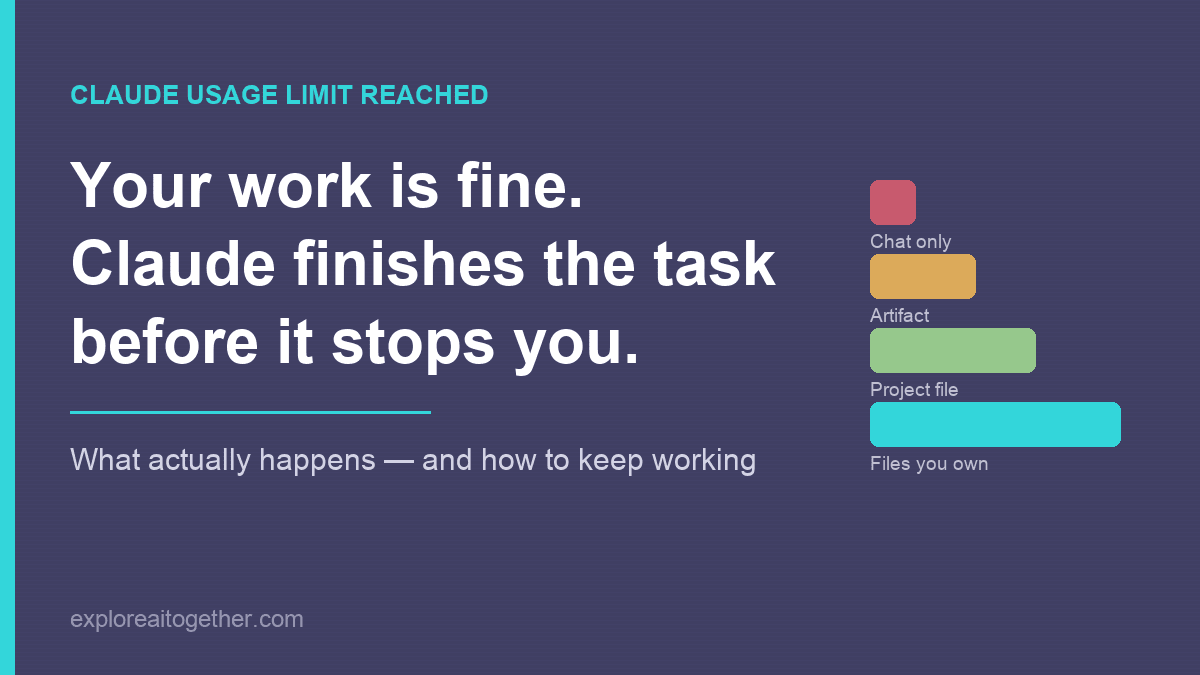
What survives when the limit hits
The reason a limit is a non-event for some people and a disaster for others has almost nothing to do with the limit. It’s about where the work was sitting when the message appeared.
| Where your work lives | Survives the cutoff | The model can reload it itself | Cost to resume |
|---|---|---|---|
| Chat scrollback only | Visible, but not portable | No | Highest — re-explain everything |
| Artifact or canvas | Yes | No | High — you paste it back |
| Project file | Yes | Partly | Medium |
| Local file or repo | Yes | Yes | Low |
| Notes file with current state | Yes | Yes | Near zero — resume in one prompt |
Find your row. The top one is where most people keep work by default, and it’s the only row that makes a five-hour pause expensive.
Quick reference
Which wall did you hit?
| Usage limit | Length limit | Stalled reply | |
|---|---|---|---|
| Message | “5-hour limit reached – resets [time]” (or the weekly version). With usage credits on: “… continuing with usage credits” | “Your message will exceed the length limit for this chat” (Claude Code: “Prompt is too long”) | “Checking for a response to your message…” |
| Cause | Used your allowance for now | One conversation outgrew the context window | Your reply hasn’t arrived yet |
| Fix | Wait for the reset and continue, or turn on usage credits | Start a new conversation | Wait a minute, reload, check status.claude.com, then resend |
What to do now
- Check Settings → Usage — session limit or weekly limit?
- In chat: wait for the reset, reopen the conversation, tell Claude to continue. On a deadline, turn on usage credits instead.
- In Claude Code mid-task: if you have a prompt left, have it write down what’s done and what’s next — to a file. Use
/resumewhen you return. - Get on with something else. That’s the intended behaviour.
So it doesn’t matter next time
- Keep your work in files you own, not in conversation history
- Give different models different jobs, so none of them is load-bearing
- For important work, have a different model review it
- Finish or hand off before a long break, and start a fresh chat with a handoff prompt at about 250K tokens
Common questions
Does Claude finish what it’s doing before the limit stops you?
Generally yes. In normal chat use Claude completes the response it’s working on and then tells you you’ve reached the limit. You’re not left with half a file. Long multi-step tasks in Claude Code are the exception — those can be interrupted partway through.
When does Claude’s usage limit reset?
The session limit starts when you send your first message and resets in full five hours later. Weekly limits reset at a fixed time assigned to your account. Settings → Usage shows both, including how long is left in the current session. Verified Ultra accounts have no session limit, only weekly ones.
Does Claude Ultra have a five-hour limit?
Not once your account is verified. Ultra ($200 a month, called Max 20× until 30 October 2026) gives you ten times Pro’s weekly usage, a separate weekly limit for Fable, and no five-hour limit on verified accounts. Verification is automatic. Until it happens, a temporary session limit applies. If Settings → Usage shows no Current session bar, your account is verified.
Do Claude Code and Claude.ai share the same usage limit?
Yes. Claude on the web, desktop, mobile and Claude Code all draw from the same allowance. There’s no separate pool for the terminal.
Does Claude remember what it was working on after the limit resets?
In a chat conversation, yes — reopen it and tell Claude to continue, and it can read the whole thread. After a long agentic task in Claude Code, it may re-read its plan and misjudge what was already finished, which is why writing the current state to a file before you step away is worth the one prompt it costs.
Why does an old Claude chat use up my limit so fast?
Claude rereads the whole conversation with every message, and a prompt cache makes that cheap only while it’s warm. In Claude Code the cache lasts an hour on a subscription within your plan’s usage, and five minutes on usage credits or an API key. Come back after it expires and the first message processes the entire conversation again. For a long chat, ask for a detailed handoff prompt before you step away and start fresh with it.
How many messages do you get on Claude Pro?
Anthropic doesn’t publish a number, because it depends on message length, attachment size, conversation length, and which model and features you’re using. Any specific figure you see is an estimate. Settings → Usage shows your actual consumption.
What does “Checking for a response to your message” mean in Claude?
Your reply hasn’t arrived yet, and the app is checking whether Claude is still working on it. It has no reset time, so it isn’t a usage limit. Give it a minute without resending, then reload the chat. If the reply still doesn’t appear, check status.claude.com and send the message again.
Is there a way to bypass Claude’s usage limit?
Not for free. On Pro, Max and Ultra you can turn on usage credits under Settings → Usage, which keep Claude working past the limit and bill the extra at API rates. Multiple accounts are against the terms. Otherwise, wait for the reset, or upgrade if you’re repeatedly exhausting your weekly limit rather than just the five-hour window. Ultra removes the five-hour limit on verified accounts but keeps a weekly one.
Hitting a usage limit only breaks your day if one conversation was holding everything. Move your work into files you own, give your models different jobs, and the message stops being a wall and becomes what it actually is — a pause.
A conversation is temporary. Your files aren’t.