🔄 Updated 14 October 2026. All five platforms changed since the last update. Every plan, model and limit below was re-checked against official pricing pages and help centres this week.
October’s changes run in two directions. The newest models moved down to the $20 plans. ChatGPT Plus now gets GPT-6 in the main chat window, and Google AI Pro ($19.99) gets Gemini 4 Argon, Google’s new frontier model. Meanwhile the free tiers got thinner. Since 9 October, free Gemini sends most prompts to Flash-Lite, its lightest model, and Google AI Plus is losing the Pro model.
Grok changed the most. SpaceXAI replaced its SuperGrok plans with The X Subscription: Plus $8, Premium $30, Super $100 and Ultra $200, each bundling Grok, Cursor and X Premium. Anthropic shipped Claude Haiku 5.5 and now gives Max subscribers $100–$200 a month in API credits. Perplexity added GPT-6.1 Sol, Claude Opus 5.5 and Grok 4.7 to its model picker.
So the plan question shifted again. In September the newest chat models mostly sat behind $100 plans or extra credits. Now the $20 shelf has caught up on ChatGPT and Gemini. What decides your plan is how much work you do (the limit system) and whether the free tier still covers you. This guide covers both for all five platforms.
What’s Changed Since 29 September 2026
GPT-6 reached ChatGPT’s chat window (October 7). Plus, Pro, Business, and Enterprise now default to GPT-6, powered by GPT-6 Sol. Plus gets the Instant, Medium, and High thinking levels. Pro adds Extra High and a Pro setting that runs GPT-6 Pro on GPT-6 Astra. GPT-6 answers can mix in charts, diagrams, and small interactive tools, which OpenAI calls Intelligent UI. The models in Work and Codex didn’t change. (Sources: OpenAI Help Center — ChatGPT release notes; GPT-6 and other models in ChatGPT.)
OpenAI reopened Pro $200 with a smaller allowance (September 29). New Pro $200 subscriptions cost the same $200 but include less usage than the plan used to. If you had Pro $200 at any point between September 22 and September 29, you keep the old allowance through October 29, then move to the new one. Pro $500’s Ultrafast mode now covers GPT-6.1 Sol as well as Astra. And none of the three Pro plans currently has a five-hour limit in Work and Codex, only a weekly allowance. (Sources: OpenAI Help Center — About ChatGPT Pro tiers; Managing usage with GPT-6 Astra in Work and Codex.)
Gemini 4 Argon arrived in the Gemini app for AI Pro and Ultra (October 13). Google calls it its newest frontier model, built to take complex tasks from start to finish. (Sources: Google — Gemini 4 Argon is now available in the Gemini app; Gemini Apps release notes.)
Free Gemini now mostly runs Flash-Lite, and AI Plus is losing Pro (from October 9). Without a Google AI plan, Gemini now uses Auto model selection, which sends most prompts to Flash-Lite. AI Plus keeps Flash-Lite and Flash but loses Pro, on a date Google emails to each subscriber. (Source: Gemini Apps Help — Changes to Gemini model access and limits.)
Gemini skills are replacing Gems (September 30). Skills are saved instructions that Gemini runs when a matching prompt comes up. Your Gems will migrate automatically when they’re retired. (Source: Gemini Apps release notes.)
Grok’s plans were replaced by The X Subscription (October 12). It has five tiers: Free, Plus $8, Premium $30, Super $100, and Ultra $200. Each paid plan bundles Grok, Cursor, and X Premium, with one weekly usage pool across Grok and Cursor. (Sources: SpaceXAI — Introducing The X Subscription; x.ai/pricing; TechCrunch.)
Grok 4.7 reached Grok’s apps (October 3). It now powers Expert mode on grok.com and Fast mode for paid subscribers. (Source: Grok release notes.)
Anthropic released Claude Haiku 5.5 and added API credits to Max and Team (October 7). Max 5× now includes $100 a month in API credits, Max 20× includes $200, and Team plans get up to $500, pooled. (Sources: Anthropic — Introducing Claude Haiku 5.5; claude.com/pricing; Claude Help Center release notes.)
Perplexity added GPT-6.1 Sol, Claude Opus 5.5, and Automations (October 5). (Source: Perplexity changelog.)
Quick Comparison: All Five Platforms at a Glance
| Platform | Free | Budget | ~$20 | ~$100 | Top tier | Newest top model | Limit system |
|---|---|---|---|---|---|---|---|
| ChatGPT | ✓ unlimited text | Go $8 | Plus $20 | Pro $100 | Pro $200 · Pro $500 | GPT-6 in Chat NEW · GPT-6.1 Sol in Work/Codex | Unmetered text; tool limits; 5-hr + weekly in Work/Codex on Plus; weekly only on Pro NEW |
| Claude | ✓ | ✗ | Pro $17–$20 | Max 5× $100 + $100 API credits NEW | Max 20× $200 + $200 API credits NEW | Fable 5.1 · Opus 5.5 · Haiku 5.5 NEW | 5-hr + weekly pool; usage credits |
| Gemini | ✓ mostly Flash-Lite NEW | AI Plus $4.99 (losing Pro model NEW) | AI Pro $19.99 | AI Ultra $99.99 | AI Ultra $199.99 | Gemini 4 Argon NEW | 5-hr + weekly compute pool; AI credits |
| Grok | ✓ limited | Plus $8 NEW | Premium $30 NEW | Super $100 NEW | Ultra $200 NEW | Grok 4.7 NEW | One weekly pool shared with Cursor NEW; top-ups |
| Perplexity | ✓ (searches free) | ✗ | Pro $20 | ✗ | Max $200 | Multi-model, now incl. GPT-6.1 Sol and Grok 4.7 NEW | Credits (Computer agent only) |
Where the Newest Model Actually Lives on Each Plan
This is the table most comparison pages skip, and it’s the one that decides whether an upgrade gets you what you’re paying for.
| Platform | Free | ~$20 plan | ~$100+ plan |
|---|---|---|---|
| ChatGPT GPT-6 | ✗ (GPT-5.6 Luna; GPT-6 Luna rolling out) | ✓ Plus: GPT-6 in Chat at Instant, Medium and High NEW; Astra and 6.1 Sol in Work and Codex | ✓ Pro: GPT-6 up to Extra High, plus GPT-6 Pro (Astra) in Chat with a weekly cap that rises with the tier |
| Claude Fable 5.1 | ✗ (Sonnet, Haiku) | Pro: Fable via usage credits only; Opus 5.5 included | ✓ Max: up to 50% of weekly limit, then credits |
| Gemini 4 Argon | ✗ (Auto, mostly Flash-Lite) NEW | ✓ AI Pro NEW (AI Plus: Flash-Lite and Flash only) | ✓ Ultra, with the highest limits |
| Grok Grok 4.7 | Limited Chat (model not stated) | ✓ Premium $30 NEW (Plus $8 doesn’t list the latest models) | ✓ Super and Ultra: same models, more usage |
| Perplexity licensed models | Standard searches | ✓ Pro: pick from the main lineup | ✓ Max: adds the “frontier” models |
This table looks very different from last month. ChatGPT and Gemini moved their newest chat models down to the ~$20 plan. Claude’s Fable 5.1 still sits behind Max or usage credits, though Opus 5.5 on Pro covers most of the same work. Grok is the odd one out. Its cheapest plan, Plus at $8, doesn’t include the latest Grok models, so Premium at $30 is the real starting point.
ChatGPT (OpenAI)
Plans: Free · Go $8/month · Plus $20/month · Pro $100/month · Pro $200/month · Pro $500/month.
Pro is three plans under one name. ChatGPT’s upgrade screen labels them Standard usage ($100), More usage ($200), and Maximum power ($500). All three include OpenAI’s top Pro model, 100 GB of storage, maximum memory, early access to new tools, and no ads. What separates them is how much Work and Codex usage you get, and the $500 plan adds speed.
ChatGPT has two separate limit systems, and you need to know which one you’re in.
1. Chat: the main ChatGPT window. Free and Go users run on GPT-5.6 Luna with unlimited everyday text chats. OpenAI still applies abuse safeguards. File uploads, image generation, voice, data analysis, and other tools have their own limits. Paid plans now default to GPT-6, powered by GPT-6 Sol. A Thinking slider sets how hard it works: Instant, Medium, High, Extra High, and Pro. GPT-6 answers can include charts, diagrams, and small interactive tools, and they can start appearing while the model is still thinking. You can still pick GPT-5.6 Sol by name if you prefer it.
2. Work and Codex: where agents and longer tasks run. These share one allowance. On Plus it uses a five-hour window plus a weekly limit, and you need room left in both. OpenAI gives estimated ranges, and they’re wide. Per five hours on Plus, it estimates 5–45 messages with GPT-6 Astra, 15–160 with GPT-6.1 Sol, 15–150 with GPT-6 Sol, and 350–3,000 with GPT-6 Luna. None of the three Pro plans currently has a five-hour limit. They run on a weekly allowance only. Check Settings → Usage to see where you stand.
What each plan gets:
- Free — GPT-5.6 Luna, unlimited text, and a Think button (still Luna) for harder questions. Ads appear in some regions. OpenAI’s October 7 release notes say GPT-6 Luna is rolling out to Free and Go, but its help centre still lists GPT-5.6 Luna, so check your model menu.
- Go ($8) — the same unlimited Luna text with more room for uploads, images, and other tools. Voice is capped at 3 hours a day on GPT-Live-1 mini.
- Plus ($20) — GPT-6 in Chat at Instant, Medium, and High, plus GPT-6 Astra, Sol, Luna, and 6.1 Sol in Work and Codex. No Extra High or Pro options. Audio uploads for transcripts and summaries. Voice is 3 hours a day. No ads.
- Pro ($100, “Standard usage”) — GPT-6 at every level including Extra High, plus GPT-6 Pro in Chat on a weekly allowance shared with GPT-5.6 Sol Pro. Work and Codex run on a weekly allowance with no five-hour limit. Voice is 15 hours a day. Includes Dots.
- Pro ($200, “More usage”) — more Work and Codex usage and a higher GPT-6 Pro allowance than Pro $100. Voice is unlimited. Includes Dots. New subscriptions since 29 September come with a smaller allowance than this plan used to include. OpenAI’s announcement put it at about 10× Plus in Work and Codex and 100 GPT-6 Pro messages a week, down from 20× and 200. If you had Pro $200 between 22 and 29 September, you keep the old allowance through 29 October, then move to the new one at the same $200.
- Pro ($500, “Maximum power”) — the highest included usage, and the only plan with Ultrafast for GPT-6 Astra and GPT-6.1 Sol in Work and Codex. Ultrafast uses your included allowance at 8× the standard rate, then your credit balance at 6×. Includes Dots.
What are Dots? OpenAI’s always-on personal agents. They come with the Pro plans (and Business Premium) but not with Free or Go. For the first month after their 29 September launch, Dots usage doesn’t count toward your Pro allowance.
When you hit a wall: in Chat, ChatGPT may carry on with another available model. On Pro $200, running out of GPT-6 Pro drops you to GPT-5.6 Thinking at Medium. In Work and Codex, eligible Plus and Pro accounts can buy an instant reset, use a saved (banked) reset if they have one, or pay with credits. A reset refreshes your allowance but doesn’t raise your plan’s limits. OpenAI Support won’t reset limits for you.
Changes to plan around:
- Pro $200’s old allowance ends on 29 October for anyone who had the plan between 22 and 29 September. After that you’re on the smaller allowance at the same $200. If Codex is why you pay for it, check Settings → Usage in your first week on the new allowance and decide whether to stay, drop to Pro $100, or move up to Pro $500.
- On Plus and Pro, Instant doesn’t switch up to a higher thinking level automatically on hard questions. If an answer feels shallow, raise the level on the slider yourself.
- Custom GPTs are being retired in favour of plugins. The dates vary by plan, so list the GPTs you rely on now while you still can.
- Box, Dropbox, and SharePoint joined Google Drive in ChatGPT’s Library (Go and up), so you can pull files in without uploading them again.
Watch out for: GPT-6 Astra usage comes out of the same Work and Codex allowance as everything else there, and Astra uses it faster than Sol. OpenAI’s own guidance is useful here: Astra at Low effort can beat Sol at High, so try a lower effort setting before you turn it up. GPT-6.1 Sol nearly matches Astra on coding and computer-use work by OpenAI’s account, and it stretches about three times further on Plus, so test it before you default to Astra. And if you were on Plus and opening Work just to reach a GPT-6 model, you can now use GPT-6 in Chat instead.
Saving your work out of ChatGPT is its own small adventure. The ChatGPT export guide covers chats, files, and images.
Claude (Anthropic)
Plans: Free · Pro $17/month (annual) or $20 (monthly) · Max 5× $100/month · Max 20× $200/month.
The model lineup, and who gets what:
- Haiku 5.5 (7 October) — the fast, cheap model, and the first Haiku with an effort setting. Anthropic pitches it for quick, narrow jobs like summaries and classification.
- Sonnet — the everyday model, on every plan, up to a 1M context window. Sonnet 5.5 (28 September) is in Claude’s apps and Claude Code with Medium as the default effort.
- Opus 5.5 (22 September) — the flagship for long agentic work. Pro and Max only. Anthropic says it performs at Fable 5.1’s level on most work.
- Fable 5 and Fable 5.1 — the top-end models. Paid plans only, and each paid plan handles them differently.
Fable, plan by plan. Anthropic’s help centre treats Fable 5 and Fable 5.1 the same way:
- Max (and premium Team seats): Fable is part of the plan. You can spend up to 50% of your weekly limit on Fable. That 50% is a ceiling inside your normal limit, so it doesn’t add any capacity. After that, pay with usage credits or switch models.
- Pro (and standard Team seats): Fable isn’t included in your limits. It runs on pay-as-you-go usage credits from the first message.
- Free: no Fable.
The promotion that let Pro users run Fable 5 inside their plan ended on July 19, and Fable 5.1 was never part of it. If you remember Fable being “included” on Pro, that’s why.
Opus 5.5 changes the “do I need Fable?” question. Opus 5.5 is included in Pro and Max, and Anthropic says it performs at Fable 5.1’s level on most work at about 40% lower cost than Opus 5. Fable is still the top model. If you were paying for Fable credits on Pro mainly for quality, run Opus 5.5 on the same tasks first.
Fable 5.1 is cheaper to pay for. Usage credits are billed at standard API rates, and Anthropic cut Fable 5.1’s cache-read price by 75%. That makes typical workloads about 25% cheaper than Fable 5, and up to about 45% cheaper for long agentic sessions. On Claude.ai and in Cowork it defaults to Medium effort. In Claude Code it defaults to High.
Max now includes API credits. Since 7 October, Max 5× includes $100 a month and Max 20× $200 a month in credits for the Claude Platform, Anthropic’s API. Team plans get up to $500 a month, pooled across users. The credits pay for API usage, so they won’t stretch your Claude.ai or Claude Code limits. They’re useful if you build your own apps or agents. Claim them by linking a Claude Console organization under Settings → Billing.
How the limits work: every plan has a rolling five-hour session limit, and paid plans add a weekly limit on top. Chat, desktop, mobile, and Claude Code all draw from one pool. Anthropic’s ratios are all per five-hour session: Pro gives at least 5× Free, and Max gives 5× or 20× Pro. There’s no fixed message count, because longer chats, bigger models, and heavier features all use more. When you hit a limit, you can wait, upgrade, or turn on usage credits. Settings → Usage shows where you are.
Pick your tier by the model you need, then by how hard you’ll use it:
- Pro ($17–$20) — steady daily use on Sonnet 5.5 and Opus 5.5. Fable is available if you’re willing to pay for credits.
- Max 5× ($100) — long sessions, plus Fable 5.1 inside your plan and $100 a month in API credits if you build with Claude. For most people this is the cheapest way to make Fable an everyday model.
- Max 20× ($200) — all-day use, several parallel threads, or Claude Code as your main tool, plus $200 a month in API credits.
If you’ve already hit a Claude limit mid-task, here’s what actually happens and how to keep working. And if Claude Code is the main reason you pay, read the Codex vs Claude Code comparison before you commit to a tier.
Gemini (Google)
Plans: Free · Google AI Plus $4.99/month · Google AI Pro $19.99/month · Google AI Ultra $99.99 (5× Pro) or $199.99 (20× Pro)/month.
Google has the widest price ladder here, and every step bundles storage and Google-app extras. That makes it easy to compare badly. Here’s what each tier does inside the Gemini app since the October changes:
- Free — Auto model selection by default since 9 October. Most prompts go to Flash-Lite, Google’s fastest and lightest model, and harder ones may go to Flash or Pro. Turn Auto off and every reply uses Flash-Lite. Image generation, Deep Research, Gemini Live, Canvas, and Gems (now moving to skills). 15 GB of storage.
- AI Plus ($4.99) — 2× Free usage, with Flash-Lite and Flash. AI Plus is losing the Pro model, on a date Google emails to each subscriber. Video generation, Daily Brief, 200 Google Flow credits, and 400 GB of storage.
- AI Pro ($19.99) — 4× Free usage, Gemini 4 Argon, plus the Pro and Flash models, 1,000 Flow credits, higher limits for the Jules coding agent, entry limits in Google Antigravity, and 5 TB of storage.
- AI Ultra ($99.99 / $199.99) — 5× or 20× AI Pro usage, Gemini 4 Argon, the highest access to the Pro and Flash models, first access to Tasks in Gemini (in select countries), Project Genie, 10,000 or 25,000 Flow credits, and 20 TB or more of storage.
The models: Gemini 4 Argon, in the Gemini app since 13 October, is Google’s new frontier model, aimed at long, complex jobs like analysing financial reports or building a deck. It’s on AI Pro and Ultra. Google hasn’t published per-plan limits for it. Gemini 3.1 Pro is still the Pro model, and Gemini 3.8 Flash, released September 2, is still the workhorse. Every model now has low, medium, and high effort settings, and higher effort uses more of your limit.
How the limits work: Gemini measures compute. Your usage depends on how complex the prompt is, which features you use, and how long the chat runs. The allowance refreshes every five hours until you reach a weekly limit. Premium models, media generation, Deep Research, and extended thinking all use it faster. When you’re out, you can buy AI credits to keep going, so Gemini works like Claude and Grok here.
Recent additions:
- Skills (September 30): saved sets of instructions Gemini runs when a matching prompt comes up. They’ll replace Gems, and your Gems will migrate automatically.
- Customize (October 13): one place to tailor Gemini’s responses, add skills, and connect more than 40 apps, including Instacart, OpenTable, and Adobe.
- Antigravity in the Mac app (October 13): start a coding agent, approve its plan, and keep chatting while it builds in the background.
- A native Windows app (September 10). Press Alt+Space to open it from anywhere, and it connects to Gmail and Drive.
- Students: eligible US college students can get a year of Google AI Pro free, or AI Plus in 140+ countries. The offer runs through December 31, 2026.
Watch out for: AI Plus is now a narrow buy. It doubles Free’s allowance and adds Flash, but it’s losing Pro and doesn’t get Argon. If Gemini 4 Argon is the reason you’re upgrading, the cheapest plan that has it is AI Pro at $19.99.
Two of Gemini’s strongest tools have their own walkthroughs: Gemini Deep Research, and the Gemini 3 Flash vs Pro guide if you’re deciding which model to use.
Grok (SpaceXAI)
Plans (The X Subscription, from 12 October): Free · Plus $8/month · Premium $30/month · Super $100/month · Ultra $200/month · Teams from $30 per user/month.
First, the names. SpaceXAI’s pricing page now brands the company SpaceXSI (SpaceX Super Intelligence). Grok is still called Grok, and the old SuperGrok plans are gone from the pricing page. If you’re on one, you can keep it, or switch and get a prorated refund for the old plan.
Every paid plan now bundles Grok, Cursor, and X Premium features, and usage is measured as a multiple of Plus:
- Free — limited Chat, Imagine images, and Grok Build. No video generation and no API access.
- Plus ($8) — Chat, Voice, Imagine, Build, Grok API access (billed separately at API rates), and X Premium features like the checkmark and fewer ads. No video generation, no Grok Bot, and the latest Grok models aren’t listed.
- Premium ($30, 4× Plus) — adds the latest Grok models, video generation, Grok Bot, faster Chat, and Cursor’s cloud agents, code hosting, and AI code reviews. SpaceXAI recommends it for new AI users.
- Super ($100, 15× Plus) — everything in Premium, plus priority model access at peak times. Pitched at daily agent users.
- Ultra ($200, 50× Plus) — the largest allowance and the earliest access to new products and models.
The model: Grok 4.7 has powered Expert mode on grok.com, and Fast mode for paid subscribers, since 3 October. It has a 500,000-token context window and is aimed at coding and knowledge work.
How the limits work: every paid plan gets one weekly pool that now covers Grok and Cursor: Chat, Imagine, Voice, and Grok Bot on the Grok side, plus your Cursor agent work. Different products use the pool at different rates, and it refreshes weekly. When it runs out, buy a top-up or wait for the refresh. Third-party models in Cursor aren’t part of the pool. They’re billed separately at API list prices.
Watch out for: the shared pool makes heavy use of one product expensive for everything else. A video uses far more of your week than a chat does, and now so can a long Cursor session. If you code in Cursor on your Grok plan, check your remaining usage in settings before a big Imagine session. And if you’re choosing between Plus and Premium, the $22 gap buys the latest models, video, and Grok Bot.
Perplexity
Plans: Free · Pro $20/month ($17/month billed annually) · Max $200/month ($167/month billed annually).
Perplexity is built around search with citations, so its limits work differently. Ordinary searches are free and unmetered on every tier. You pay for deeper research, model choice, and Computer, Perplexity’s agent that carries out multi-step tasks.
- Free — unlimited standard searches with citations, a small daily number of Pro Searches, and limited Research.
- Pro ($20) — Deep Research, a choice of models, more usage and memory, expanded Computer access, and 4,000 bonus credits (plus a limited-time $40 in Computer credits).
- Max ($200) — the highest limits, 10,000 Computer credits a month, 35,000 bonus credits (plus a limited-time $450 in Computer credits), the top frontier models, Model Council, and early access to new features.
The credits system: only Computer spends credits. Asking a question never does. Consumer Max accounts start with a default $200 spending cap on credit charges, and you can raise it to $5,000 in settings. If you only search and research, you’ll hardly notice credits exist. If you hand Computer long jobs, credits become the real limit.
The models: the Pro lineup now includes GPT-6.1 Sol, Gemini 3.8 Flash, Claude Sonnet 5.5, Kimi K3, GLM 5.3, and Grok 4.7. Max adds the frontier tier on top. Claude Opus 5.5 was added on October 5 too. Perplexity doesn’t have its own flagship model. It licenses other companies’ models and adds them soon after release, which is why GPT-6.1 Sol was there within a week.
Recent additions: Automations for ongoing work, interactive charts inside a thread, and video creation (October 5). Before that, a Computer effort slider and GPT-6 Astra for Computer tasks (September 21).
How Usage Limits Work Now
“40 messages every three hours” is gone. Here’s what replaced it, and it’s now fairly consistent across the platforms.
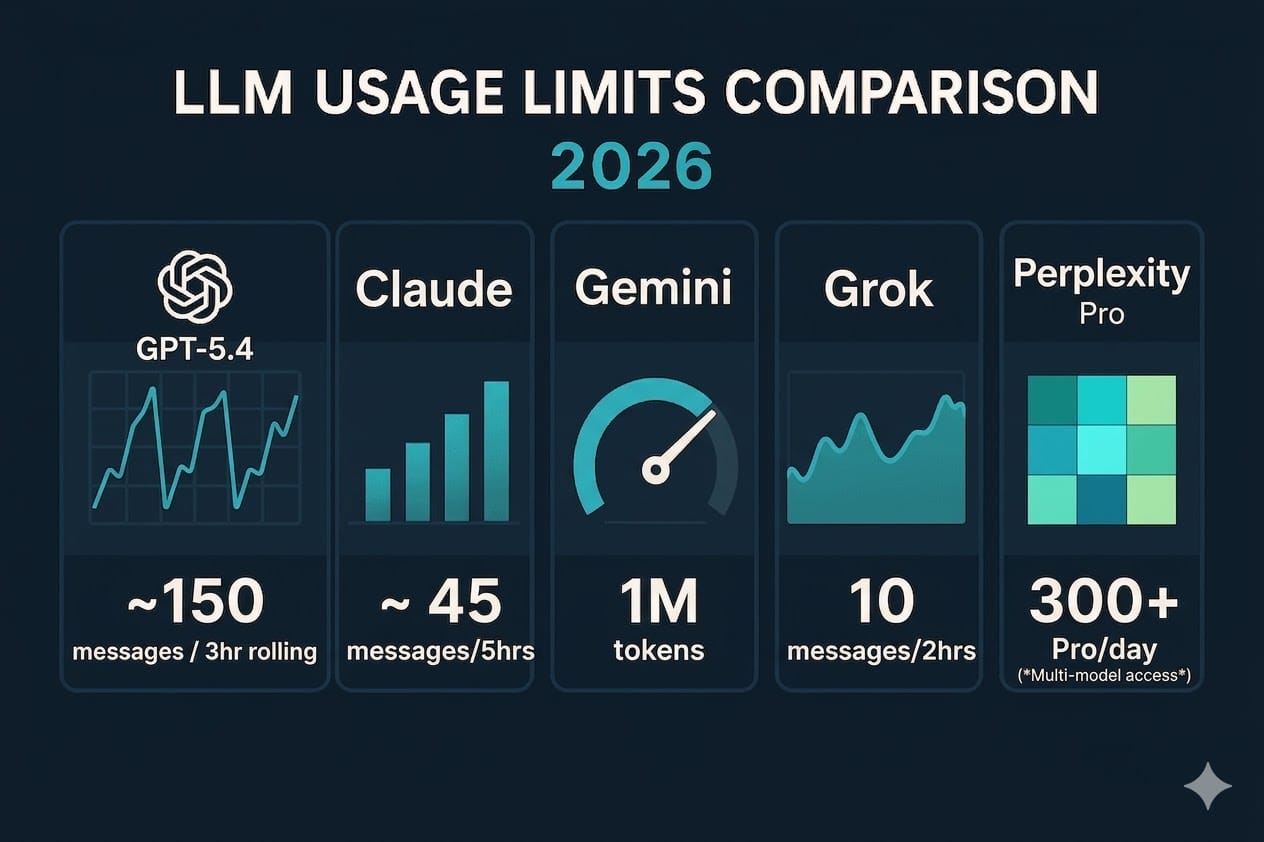
The five-hour plus weekly model is now the standard. Claude, Gemini, and ChatGPT’s Work and Codex on Plus all measure compute: how much work each request costs. ChatGPT’s Pro plans and Grok go further and run on a weekly allowance only. A quick question costs little. A long agent run, a video, or a high-effort reasoning pass costs a lot. Usage refills in rolling windows up to a weekly ceiling. The practical takeaway: you can’t compare plans by message counts any more, because the same plan feels generous to someone asking lots of short questions and tight to someone running two long coding sessions a day.
Paying to keep going is now standard too. Every platform now has a way to pay past your limit:
| Platform | What happens at the limit | Pay to continue | Where to check |
|---|---|---|---|
| ChatGPT | Chat may fall back to another model; Work/Codex pauses | Credits; purchased instant resets (eligible Plus/Pro); saved resets | Settings → Usage |
| Claude | Wait for the 5-hour or weekly reset | Usage credits at API rates (paid plans) | Settings → Usage |
| Gemini | Wait for the 5-hour refresh or weekly reset | AI credits | Gemini Help Center |
| Grok | Wait for the weekly refresh | Top-ups | Settings |
| Perplexity | Search continues; Computer stops at your credit cap | Raise the spending cap (Max, up to $5,000) | Account settings |
Keep one rule in mind with all of these: pay-as-you-go always costs more per action than your plan’s included usage. Claude’s credits, for example, bill at full API rates. Topping up now and then is fine. Topping up every week means you’re on the wrong plan.
Text is cheap, tools and agents are expensive. ChatGPT made this obvious by giving free users unlimited text while keeping limits on files, images, voice, and tools. Other platforms price the same way without saying it so plainly. Upgrading because you run out of plain chat makes less sense every month. Running out of uploads, agent time, or top-model access are the real reasons to pay.
The same model can cost very different amounts depending on effort. ChatGPT, Claude, and Gemini all let you, or the app, choose how hard the model thinks, and Gemini added low, medium, and high effort to every model this month. Higher effort uses more of your allowance and doesn’t always give a better answer. Before assuming you need a bigger plan, try a newer model at lower effort.
Promotions end, and limits move both ways. Claude Code’s +50% summer boost ended as a permanent +25% over the old baseline, which is still a cut from what people had during the promotion, and then Claude’s five-hour limit went up on 22 September. ChatGPT reopened Pro $200 with a smaller allowance at the same price. Google cut which models free Gemini users get. When a platform raises your limits “for now”, or trims an allowance and leaves the price alone, look up the baseline before you plan around any number.
Which Plan Should You Buy?
Start by working out which limit you’re actually hitting. This is the decision rule for everything else. There are three possibilities, each with a different fix:
- Volume: you run out of messages or session time. Buy more headroom on the platform you already use, or add a second platform’s free tier.
- Tools: uploads, images, voice, or agent time run out. These need a paid tier, and on ChatGPT that’s the main thing Go and Plus give you over Free.
- Model: you need the newest model for the work. Look at the “Where the newest model lives” table above. Since October that’s the ~$20 plan on ChatGPT and Gemini, and Max or credits for Claude’s Fable.
For most people, the $20 plan is still the right choice, and it got better this month. ChatGPT Plus now has GPT-6 in Chat, Google AI Pro has Gemini 4 Argon, Claude Pro includes Opus 5.5, and Perplexity Pro gives you a pick of the major models. All four include real research tools and enough room for daily professional work. Grok’s equivalent is Premium at $30. Choose the one that fits the tools and apps you already use. Benchmark leads don’t last: every one of these platforms has shipped a new top model in the last six weeks, and it’ll happen again.
Upgrade to about $100 only for heavy use or a specific top-end model. ChatGPT Pro $100 is the cheapest way to get GPT-6 Pro in Chat, and it drops the five-hour limit in Work and Codex. Claude Max 5× is the cheapest way to use Fable 5.1 without paying per message, and it now includes $100 a month in API credits; try Opus 5.5 on Pro first if quality is your only reason. Grok Super suits people who live in Imagine, Build, or Cursor. Gemini Ultra $99.99 is mainly for higher limits, Project Genie, and the bigger Flow credit allowance. Above $100, check ChatGPT twice. New Pro $200 subscriptions come with a smaller allowance than the plan used to have, and OpenAI no longer publishes how much more it includes than Pro $100. Pro $500 adds Ultrafast, which uses included usage at 8× the standard rate, so it suits people who need speed more than volume.
Plans under $10 are a narrow buy. Gemini AI Plus ($4.99) gets you Flash instead of Free’s Flash-Lite, but it’s losing the Pro model and doesn’t get Argon. ChatGPT Go ($8) gives you the same unlimited text as Free, plus more room for tools. Grok Plus ($8) is mostly an X Premium plan with basic Grok usage: no video, no Grok Bot, and not the latest models. Each is fine if that extra room is exactly what you need. None of them gets you the platform’s newest model.
Plan for credits if you use agents. Claude Code, ChatGPT’s Work and Codex, Perplexity Computer, Grok Build, and Cursor on a Grok plan all draw heavily on your allowance. With serious agent work, the subscription is only part of what you’ll spend.
Keep a backup. Pay for one primary platform and keep free accounts on the others. When you hit a weekly limit, or a model gets pulled or rationed, you can switch instead of waiting. A second model is also useful for checking the first one’s work. Here’s how to set that up.
Key Takeaways
- The $20 plans caught up in October. ChatGPT Plus has GPT-6 in Chat, and Google AI Pro has Gemini 4 Argon. Claude Pro still pays credits for Fable 5.1 but includes Opus 5.5.
- Free tiers got thinner. Free Gemini now mostly runs Flash-Lite, and AI Plus is losing the Pro model.
- Grok has a new plan ladder: Plus $8, Premium $30, Super $100, and Ultra $200, each bundling Grok, Cursor, and X Premium. Premium is the cheapest plan with the latest Grok models.
- Claude Max now includes API credits: $100 a month on Max 5×, $200 on Max 20×. Haiku 5.5 is the new small model.
- ChatGPT Pro $200 is open again with a smaller allowance, and none of the Pro plans has a five-hour limit in Work and Codex.
- Every platform lets you pay past your limit. Pay-as-you-go always costs more per action than a plan’s included usage.
- Work out which limit you’re hitting (volume, tools, or model) before you upgrade. Each one has a different fix.
Keep going:
- Claude usage limit reached? What actually happens, and how to keep working
- Use a second AI model to review the first
- Codex vs Claude Code: which should you use?
- Gemini 3 Flash vs Pro: which model to use
- AI in 2026: a quick peek for people who don’t want to become developers
- Export guides: ChatGPT · Claude · Gemini
Last updated: October 14, 2026. Sources: OpenAI — ChatGPT release notes, GPT-6 and other models in ChatGPT, About ChatGPT Pro tiers, Managing usage with GPT-6 Astra in Work and Codex, GPT-6 Astra: A new generation of intelligence (September 3, 2026), and Introducing GPT-6.1 Sol (September 29, 2026); Anthropic — Introducing Claude Haiku 5.5 (October 7, 2026), Claude Opus 5.5 (September 22, 2026), Introducing Claude Sonnet 5.5 (September 28, 2026), Introducing Claude Fable 5.1 and Claude Mythos 5.1 (September 1, 2026), claude.com/pricing, Claude Fable models on your plan, and the Claude Help Center release notes; Google — Gemini 4 Argon is now available in the Gemini app (October 13, 2026), Changes to Gemini model access and limits, Introducing Gemini 3.8 Flash and 3.8 Flash Cyber (September 2, 2026), gemini.google/subscriptions, and the Gemini Apps release notes; SpaceXAI — Introducing The X Subscription (October 12, 2026), x.ai/pricing, the Grok release notes, and the API release notes; Perplexity — perplexity.ai/pro and the Perplexity changelog.