
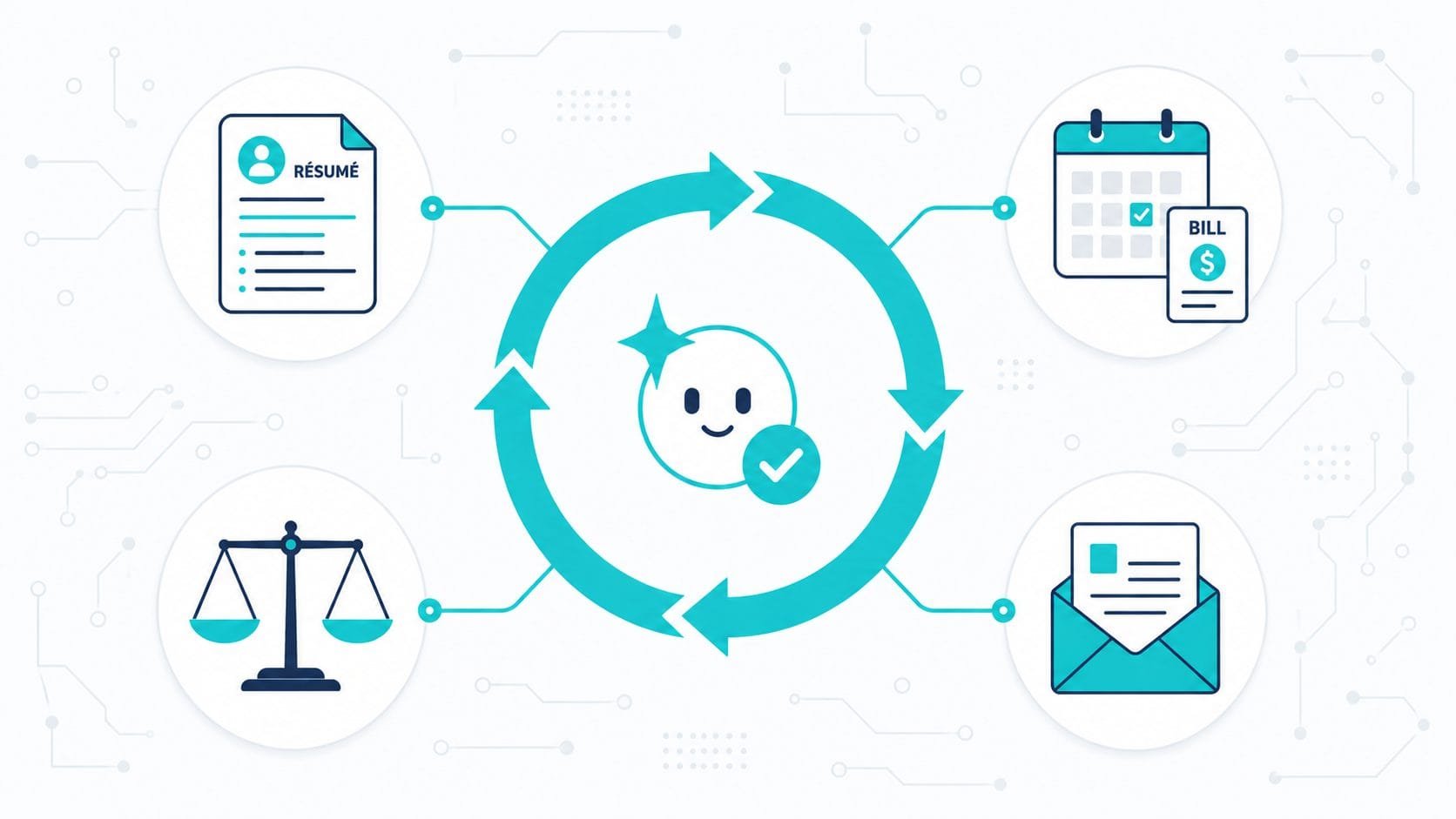
If you spend any time around AI news, you’ve watched the word “loops” take over. Engineers at the big labs are saying they don’t write prompts anymore — they write loops that prompt the AI for them. One post about it pulled five million views in a day. And if you’re not a developer, the whole thing probably sounded like another conversation happening in a room you weren’t invited into.
Here’s what got lost in the noise: the useful part of a loop has nothing to do with code. You can use it today, on the plan you already pay for, to take the repetitive, draining tasks in your life and put them on rails. Job applications. Bills and renewals. The big decisions you keep circling. The insurance letter sitting in a pile because you can’t face it.
This is the no-code version. One idea to understand, then four patterns you can copy.
| Piece | What it is | Example |
|---|---|---|
| Trigger | What starts the loop | A new job posting; your morning coffee; a denial letter |
| Engine | A reusable setup that knows your context | A Project / Custom GPT / Gem with your docs loaded |
| Goal | A finish line the AI can check itself against | “Score 8+ on these criteria, revise until it clears” |
| Self-check | The AI grading its own work before you see it | “Confirm every cited clause is real and accurate” |
| Human step | The judgment that stays yours | Reading, the personal line, the send |
The one idea that matters
Strip away the hype and a loop is simple: a trigger plus a goal the AI can check itself against.
The trigger is just what starts it — a new email, a date on the calendar, or you, sitting down and saying “go.” Nothing fancy. The goal is where the real shift happens. Instead of asking AI to do a task and reading whatever it hands back, you give it a finish line it can measure itself against, and it keeps working until it gets there.
That self-check is the whole game. A regular AI task is one-and-done: you ask, it answers, you fix it yourself. A loop hands the checking back to the AI — “score this against the job description and redo it until it clears an 8 out of 10” — so the first thing you see is already close to right. The difference between an ordinary automation and a loop is exactly one thing: a goal the AI checks itself against before handing the work to you.
If you’ve read The 4 Parts of Every AI Agent, this is the “loop” part of that anatomy, pulled out and pointed at everyday life instead of software.
The honest no-code version
A quick reality check before the fun part, because most coverage skips it.
The fully autonomous loops the engineers are excited about — Claude Code’s /loop, Codex’s goals — are developer tools. They run unattended for hours and they are not cheap; one engineer showed token bills north of a million dollars a month. On a $20 plan, a loop left running overnight will hit your rate limit by lunch. That version isn’t for most of us yet, and that’s fine, because you don’t need it.
The no-code version keeps the part that pays off and drops the part that costs:
- A reusable engine. A saved setup that already knows your context — a Claude Project, a Custom GPT, or a Gemini Gem with your résumé, your policy documents, your preferences loaded in once. You build it a single time and reuse it forever.
- A self-grading step. You bake the finish line into the instructions: “before you show me anything, score it against these criteria and fix whatever falls short.”
- You as the trigger. You kick it off when you need it. No scheduling, no servers, no surprise bills.
That’s it. A setup that remembers, a goal it checks, and you pressing go. Every pattern below is a variation on those three pieces.
Use case 1: The job-hunt loop
Most people use AI for job hunting exactly once per application — paste the résumé, paste the posting, “tailor this for me,” send. It works, sort of, and it produces the same average result everyone else with the same idea is sending.
The loop version turns it into a system. Build the engine once: a Project loaded with your master résumé, your real accomplishments, and the kind of roles you’re after. Then each posting becomes a trigger, and you give the engine a goal it can actually measure:
“Tailor my résumé and cover letter to this job description. Then score the result from 1–10 on keyword match, relevance of my top three bullet points, and whether a hiring manager would see the fit in ten seconds. If it scores below 8, revise and score again. Show me the final version and the score.”
Now the first draft you read has already been through two or three rounds of self-correction. You’re editing something good instead of fixing something generic.
Two upgrades make it sharper. For the engine itself, EAT has step-by-step builds using either Claude Code or Codex to create a job-specific résumé — that’s your reusable core. And to write the scoring rubric the loop checks against, run the AI “Application Autopsy” on a job you didn’t get: the reasons it surfaces become the exact criteria your loop should grade for next time.
One rule: the send stays human. The loop gets you a strong, tailored draft and a quality score. You read it, add the one personal line only you can write, and hit submit.
The payoff isn’t speed for its own sake. It’s that you can apply to ten well-targeted roles in the time the manual way gets you three, without the quality sliding. If you want the bigger picture on where this fits, How to Future-Proof Your Career with AI zooms out from the tactic.
Use case 2: The life-admin dashboard
The second pattern is a view you keep, refreshed each morning. Most of your life admin is scattered across a dozen apps and your own memory: a subscription renewing Thursday, a bill due next week, a form someone’s waiting on, a warranty about to lapse. The cost is holding all of that in your head at once, plus the low hum of suspecting you’ve forgotten something.
A dashboard loop collapses that into one morning view. The goal you give it is simple: “surface anything that needs me in the next seven days, and flag anything I said I’d follow up on.” The trigger is you opening it with your coffee.
In practice you start small and let it grow. Tell your AI the five things you actually want eyes on each morning — upcoming charges, unanswered messages that need a reply, deadlines, renewals, and your top three to-dos. If you’ve connected tools like email or your calendar, it can pull the live picture instead of you feeding it. The output is a short, plain list: here’s what’s coming, here’s what’s overdue, here’s what you parked.
The loop part is the self-check built into the instruction — “don’t just list everything, tell me what needs a decision today versus what’s just on the horizon.” That one line is the difference between a dump of data and a dashboard that actually triages.
A note on privacy, because it matters here: only connect accounts you’re comfortable sharing, and keep anything sensitive in a setup that stays local to your session rather than a public chat. You decide how much the dashboard sees.
Use case 3: The decision coach
AI is built to give you the average answer. It was trained on the most common version of everything, so when you ask “should I take this job offer?” you get the same sensible, middle-of-the-road advice everyone else asking that question receives. For a decision that’s actually yours, average is the wrong target.
A decision-coach loop pulls the AI off that average and keeps it there. It’s less about automation and more about running a reliable thinking process every time — and you can save the whole thing as a reusable prompt. Four moves, in order:
- Make it interview you first. Start with: “Before you give me any advice, ask me one question at a time until you understand my situation, what I’m weighing, and what a good outcome looks like.” This is the step people skip, and it’s the one that stops the generic answer before it starts.
- Rank the factors, don’t just list them. “Name the six things someone who’s great at this kind of decision would weigh — including the ones most people overlook — then tell me which single factor matters most for my specific situation.” A ranked list beats a wall of pros and cons.
- Run the five decision angles. Have it walk the choice through five lenses: the real trade-off, the downside if it goes wrong, the knock-on effects, the mistakes most people make here, and what would have to be true for this to work out. These five travel well across almost any decision — a job, a move, a big purchase, a contract.
- Label what’s solid and what’s a guess. Finish with: “For each point, tell me whether it’s backed by something I actually told you or whether it’s your own inference — and for anything you inferred, name the assumption and one thing I should confirm.” This turns a confident-sounding answer into an honest one, and it shows you exactly where your own judgment needs to step in.
For a decision that genuinely matters, add one more pass: run the same question, with the same context, through a second AI from a different company. Where they agree, you can lean on it. Where they disagree, you’ve just found the spot that needs you. EAT’s Frameworks I Never Knew I Needed is a good companion read on building this kind of thinking into your routine.
Use case 4: The advocate loop
This is the one that helps most when you’re least able to help yourself — when there’s a denial letter, a confusing medical bill, or a benefits form standing between you and money you’re owed, and the sheer weight of the paperwork is what’s stopping you.
Bureaucracy wins by volume and jargon. AI is good at exactly that: reading dense policy language, holding it next to your situation, and drafting a clear, specific response. The pattern looks like this. Load the engine with the actual documents — your policy, the denial, the bill. Then give it the job:
“Read this denial against the policy I’ve given you. Tell me which specific clause they’re citing, whether their reasoning actually matches what the policy says, draft an appeal letter that quotes the relevant policy language back to them, and list any documentation I still need to attach.”
The self-check is the part that makes it a loop rather than a one-off: “before you finish, go through the policy again and confirm every clause you cited is real and quoted accurately.” That pass is what keeps it honest.
There’s a walk-through of using AI to make sense of a real insurance situation in How I Used AI to Figure Out My Health Insurance — the advocate loop is that same approach, turned toward pushing back rather than just understanding.
A real guardrail, in plain language: this is a drafting and comprehension aid, not legal or medical advice. AI can misread a clause or invent one that sounds plausible — that’s exactly why the self-check above asks it to verify every citation, and why you check them too. Read every line against your actual documents before you send anything, and for high-stakes cases, a human professional is still worth the call. The loop gets you a strong draft and a clearer head. The judgment, and the signature, stay yours.
The one skill behind all four
Look back at the four patterns and the templates barely change. What changes is the finish line.
“Score it 8 out of 10 against this job description.” “Tell me what needs a decision today.” “Confirm every clause you cited is real.” Each one is a goal the AI can measure itself against — and writing that goal clearly is the entire skill. Vague finish lines are why AI output disappoints: “make my résumé better” has no edge the AI can test against, so it hands you back something average and stops. “Beat an 8 on these three criteria” gives it a target and a reason to keep going.
So the skill worth practicing is a habit: asking, before you hit enter, how would the AI know it’s done? Answer that well and you can build a loop for anything.
What this won’t do, and where to start
Loops won’t run your life while you sleep — not the no-code kind, and the kind that can is expensive and built for developers. They don’t remove your judgment; they sharpen the place where you apply it. And they’re only as good as the finish line you write, which takes a couple of tries to get right.
The honest bottleneck usually isn’t the AI. It’s sitting down to set the thing up the first time. So start with one. Pick the task that drains you most — for a lot of people that’s the job hunt — build the engine once, write one clear goal, and run it. The second loop takes a fraction of the effort, because you already know the shape.
And none of this is settled. The people doing loops for a living are only a few months ahead of the rest of us, and the no-code versions here are early experiments, not a finished playbook. Treat the four patterns as starting points: build one, see what breaks, and you’ll understand loops better than any explainer — this one included — can hand you. That’s the whole idea. We’re working it out together.
Quick reference: the loop recipe
| Piece | What it is | Example |
|---|---|---|
| Trigger | What starts the loop | A new job posting; your morning coffee; a denial letter |
| Engine | A reusable setup that knows your context | A Project / Custom GPT / Gem with your docs loaded |
| Goal | A finish line the AI can check itself against | “Score 8+ on these criteria, revise until it clears” |
| Self-check | The AI grading its own work before you see it | “Confirm every cited clause is real and accurate” |
| Human step | The judgment that stays yours | Reading, the personal line, the send |
Keep going
- New to the underlying idea? Start with The 4 Parts of Every AI Agent.
- Building the job-hunt engine: with Claude Code or with Codex, plus the Application Autopsy for your scoring rubric.
- Sharper decisions: Frameworks I Never Knew I Needed.
- Paperwork and bills: How I Used AI to Figure Out My Health Insurance.