
Everyone says AI agents are going to change how you work. Few people explain what an agent actually is.
Not in a way that helps you see it. You’ve probably read something like “AI agents can take actions in the world” and thought — okay, but what does that mean? What’s actually happening under the hood?
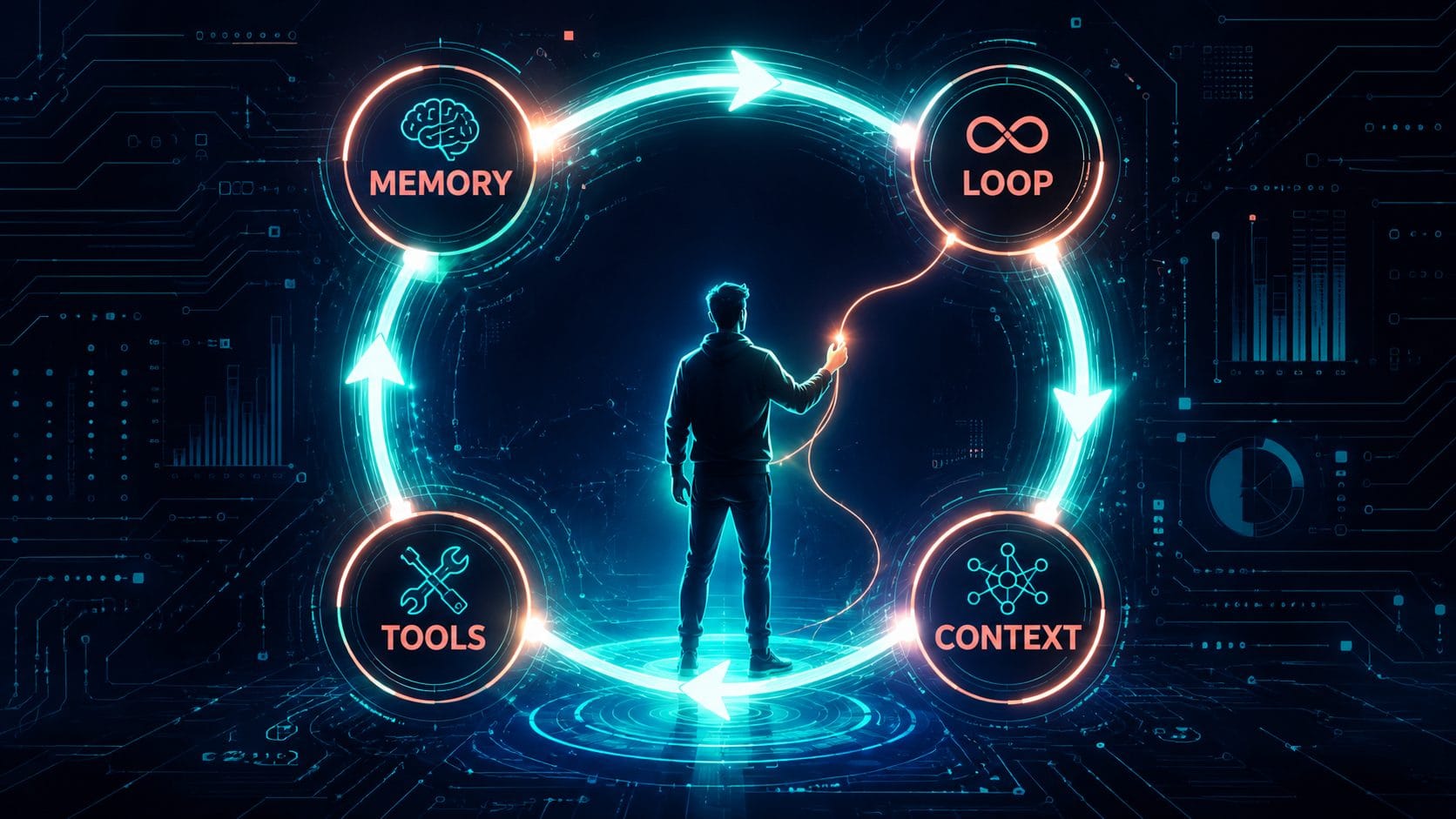
Every AI agent, regardless of what platform it runs on or what it does, is built from exactly four components. Understanding those four parts tells you more about agents than most explainers you’ll read — and more importantly, it tells you what you’re actually building toward when you start using them yourself.
The Part Nobody Explains Properly: The Loop
Most people, when they think about what makes AI useful, think about memory first. That makes sense — the idea that an AI can remember things is intuitive and obviously valuable.
But memory isn’t what makes an agent an agent. The loop is.
Here’s the difference. A chatbot waits for you to say something. You type, it responds, it stops. That’s the whole interaction model: your action, its reaction, full stop.
An agent doesn’t work that way. An agent looks at the current state of things, decides what action to take next, takes it, evaluates the result, and loops back — repeating until the goal is done. You give it a destination, not a series of directions. It figures out the route.
Take my own wiki system as an example. When it runs, it checks for new material I’ve added — YouTube transcripts, web clippings, research notes. It reads the project instructions and works out where new information belongs, whether it connects to anything already in the wiki, whether it adds enough value to create something new. It integrates, synthesises, and comes back to me with something like: “Should this become a blog post?” That’s the point where I step back in.
I’m not prompting each step. I’m not saying “now read the file” then “now check the index” then “now decide what to write.” The system already knows how to process incoming material and what standards it’s trying to meet. That autonomy — that closed loop running without my intervention — is what makes it an agent rather than a fancy chatbot.
When I first moved from using Claude’s chat interface to working with persistent local files and project instructions, something shifted. It stopped feeling like a conversation and started feeling more like an operating environment. The AI wasn’t just responding anymore. It was navigating a system with state, history, structure, and ongoing tasks. One signal that reinforced this: the suggested next prompts in Claude Code started being surprisingly aligned with the logical next step in the workflow. I found myself pressing the right arrow key and accepting the suggestion — not because I was being lazy, but because the system already understood where we were going.
That’s the loop doing its job.
Memory, Tools, and Context
Once you have the loop, the other three components make sense in context.
Memory
Memory is everything the agent knows and can access: past sessions, reference documents, your preferences, domain knowledge you’ve loaded in. In practice, this usually lives in a file — a markdown file the agent reads at the start of every session and updates as it works.
In my system, that’s the CLAUDE.md at the root of my project and the wiki pages themselves. Every session opens with the agent reading those files before doing anything. That’s its working memory.
One thing I’ve learned the hard way: more memory is not always better. When the wiki was newer, everything was clean and focused. As the project scaled, the instructions started layering up — edge cases, overlapping rules, workflows I’d changed but not cleaned up, experiments I’d tried once and never removed. Eventually, processes that the system handled reliably started getting skipped. I’d have to explicitly remind it to do things it used to do automatically.
The model doesn’t get confused because you gave it too much information. It gets confused because excessive, inconsistent memory reduces clarity about what actually matters. The lesson: tend your memory files. A bloated memory is worse than a sparse one.
Tools
Tools are what the agent can actually reach out and touch: your email, your calendar, your file system, the web, a database, a spreadsheet. Without tools, an agent can think and plan but can’t do anything in the world.
The more relevant tools you connect, the more capable the agent. In my case, the tools that would break the system if they disappeared are two: Obsidian (which acts as the persistent memory layer — including the Kanban pipeline that gives the workflow actual operational state across stages) and Claude Code running locally against those files. Take either away and what’s left is just a conversation, not a system.
The practical question when you’re building an agent isn’t “what tools exist?” — it’s “what tools does this specific loop actually need?” Start narrow. One or two well-connected tools beat ten loosely connected ones.
Context
Context is the rules — written by you — that define what the agent should do, how it should behave, and what constraints it works within. In Claude Code, this lives in CLAUDE.md. Think of it as the brief you write once so you don’t have to repeat it every session.
Good context covers: what this project is, what standards the output should meet, what mistakes to avoid, what the agent should never do without checking first. Bad context is a long list of everything you’ve ever wanted, layered up over months without being cleaned.
Context is also where graduated autonomy lives. You don’t hand an agent full independence from day one — you write the rules conservatively, watch what happens, extend scope as trust builds. The rules in your context file are the guardrails that let you do that incrementally.
The Driver and the Race Car
One thing that trips people up early on: the model and the environment are two different things.
The model — Claude, GPT-4o, Gemini — is the driver. The intelligence. The environment — Claude Code, Zapier, N8N, your IDE — is the race car. The car determines what the driver can interact with and how fast the loop can run, but it doesn’t change what the driver knows.
This matters for two reasons. First, you can use different drivers in the same car (swap models as they improve without rebuilding the system). Second, the car you choose shapes what tools are available and how complex your loop can get. Claude Code running locally gives you file read/write, web fetch, and bash. Zapier gives you hundreds of app integrations with a simpler loop model. N8N gives you more control at higher complexity.
Pick the car that fits the loop you need to run, not the one with the most impressive feature list.
What’s Actually Worth Agentifying
Not every task should be an agent. A useful test before you build: does the task score well on all four of these?
High frequency — it happens often enough that automating it saves real time, not just occasional effort.
Time intensive — it’s eating meaningful hours, not five minutes here and there.
Structured data — the inputs and outputs follow a consistent pattern the agent can learn.
Clear success criteria — you can tell, without ambiguity, whether the output is correct.
Tasks that score well on all four are your best starting points. Tasks that fail on the last one — where you’re not sure what “right” looks like — are the ones that go wrong.
I learned this from a failed experiment. For a while I ran an AI-assisted meal planning system. I logged my pantry and fridge contents, connected it to my fitness goals, and for a few days it worked genuinely well. I’d ask what to eat and get suggestions based on what I actually had, high-protein targets, workout recovery needs. Some combinations I wouldn’t have thought of — scrambled eggs with asparagus and mushrooms became a regular breakfast.
But the system eventually collapsed. Not because the logic was wrong — because the maintenance burden was too high. Keeping the food inventory accurate required constant updates, and the workflow depended on a level of consistency I wasn’t realistically going to sustain. A workflow can be useful, intelligent, and technically functional while still failing operationally because the human upkeep cost is too high.
The design was too aggressive for the reality of maintaining it. The loop needs a human who will keep feeding it. If that maintenance is more work than the loop saves, you don’t have an agent — you have a chore.
Start with low-precision tasks where getting 90% right is acceptable and the downside of errors is low. Research, first-draft content, inbox triage, pipeline tracking. These are the tasks where agents shine early. High-precision tasks — accounting, medical, legal, anything with real consequences for errors — take much longer to get right and need much more oversight before you should trust the loop.
What You’re Actually Building Toward
The four parts have been there in every agent you’ve heard about: the memory it draws on, the loop that runs without you, the tools it uses to act in the world, and the context that defines how it behaves.
Understanding them doesn’t make you a developer. It makes you a better director. When you know which component is failing — when outputs drift because memory has bloated, or the loop breaks because a tool connection dropped, or the agent keeps doing the wrong thing because the context is contradictory — you know exactly where to look.
That’s the leverage agents actually give you: not that they do everything, but that you can reason clearly about what they’re doing and fix it when they don’t.
If you want to go deeper on the memory layer, this guide covers how memory files work and why they rot. For the context layer — how to write rules that actually work — this piece on context engineering is the practical companion. And if the bigger picture of what agents are and why they matter is what you’re after, start here.