Google built two AI tools that confuse almost everyone—including people who use AI daily. Both are free. Both are powered by Gemini models. Both can now create AI-generated podcasts. So which one should you actually open?
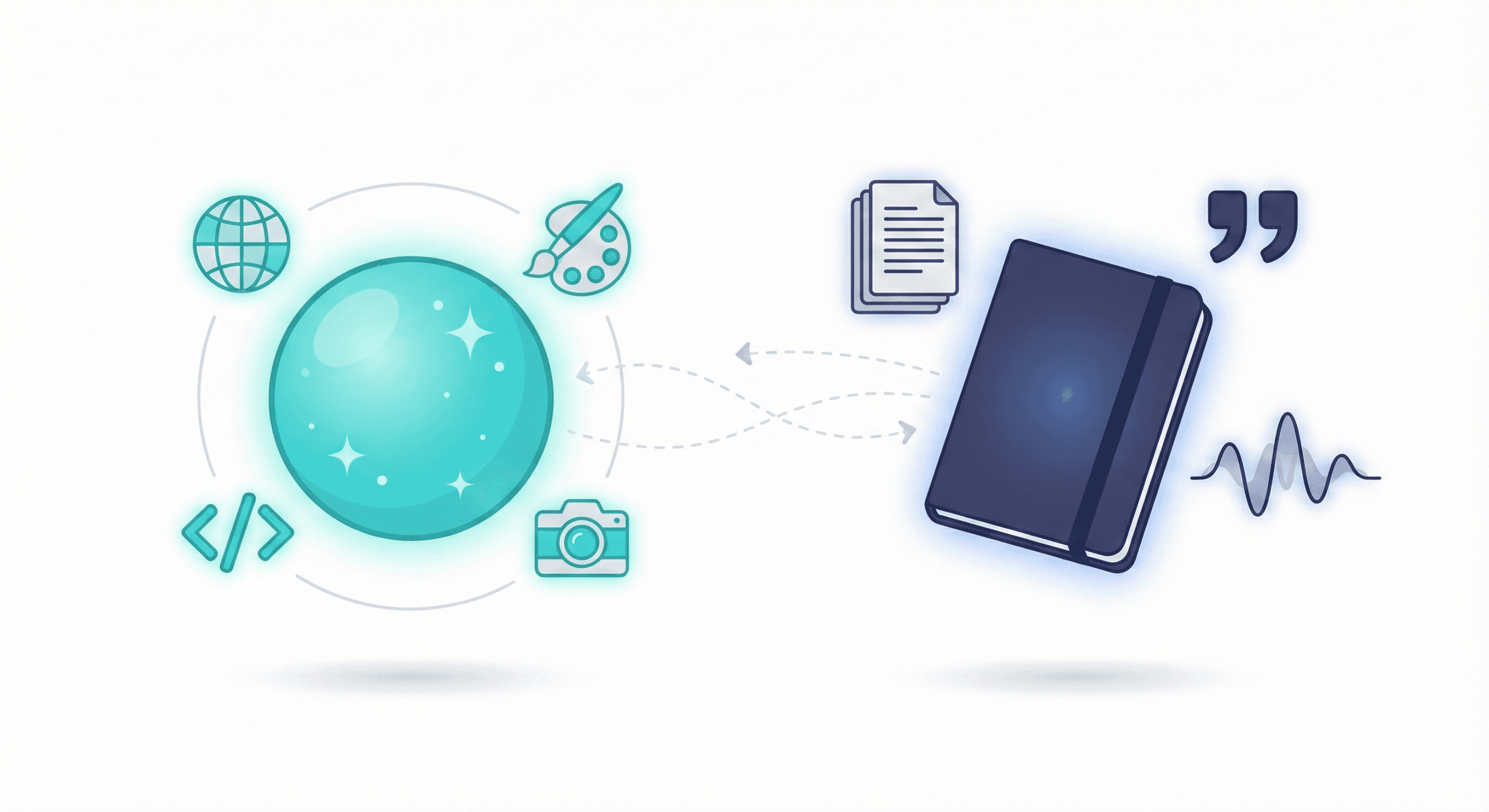
Here’s the one-sentence answer: Gemini knows the internet. NotebookLM knows YOUR documents.
That distinction drives everything. By the end of this guide, you’ll know exactly which tool to reach for based on what you’re trying to accomplish. And spoiler: you’ll probably end up using both.
Table of Contents
The Core Distinction
Gemini is a brilliant generalist who’s read the entire internet and can search it in real-time. NotebookLM is a dedicated analyst who’s memorized only the documents you gave it—and cites exactly where it found each answer.
Neither is “better.” They’re different tools for different jobs.
Gemini at a Glance
Google’s general-purpose AI assistant (you might remember it as Bard).
Best for: Quick answers, creative writing, coding help, image generation, trip planning—anything requiring current information or broad knowledge.
Standout features: Deep Research, Audio Overviews, Gems (custom AI assistants), and live web search.
Think of it as your Swiss Army knife.
NotebookLM at a Glance
An AI research assistant that stays grounded in your sources.
Best for: Studying, research projects, document analysis—any work where you need citations or need to trust the AI isn’t making things up.
Standout features: Audio Overviews (the viral “podcast” feature—now interactive), one-click study guides and FAQs, and citations on every response.
Think of it as your personal research analyst.
What Actually Matters: 5 Key Differences
1. Where the Knowledge Comes From
Gemini pulls from its training data plus live web searches. It knows about current events, can look up prices, and answers questions about topics you’ve never mentioned before.
NotebookLM only knows what you upload. If you ask about something not in your sources, it’ll tell you it doesn’t have that information. This constraint is actually a feature—it dramatically reduces hallucinations.
Why it matters: If you need current information or broad knowledge, use Gemini. If you need accurate answers grounded in specific documents, use NotebookLM.
2. Citations (The Trust Factor)
Gemini sometimes cites web sources when it searches, but there’s no systematic citation system. You can’t easily verify where a specific claim came from.
NotebookLM cites every response. Click on any claim and it takes you directly to the passage in your source document. This makes fact-checking instant.
Why it matters: For academic work, legal review, or anything where “where did you get that?” matters, NotebookLM’s citations are essential.
3. Audio Overviews (Yes, Both Have Them Now)
This is where things get interesting. NotebookLM’s Audio Overview feature—where two AI hosts discuss your documents in a surprisingly engaging podcast format—went viral in late 2024. It’s still NotebookLM’s signature feature.
Gemini now offers Audio Overviews as well, but the experience is still meaningfully different:
| Aspect | NotebookLM | Gemini |
|---|---|---|
| Length | Deep dives (10-30+ minutes) | Shorter, snappier |
| Sources | Up to 50 documents | Up to 10 documents |
| Interactive mode | ✅ You can join and ask questions | ❌ Not yet |
| Works with | Your uploaded sources | Deep Research reports + uploads |
Why it matters: Want a quick overview of web research? Use Gemini. Want a deep, interactive dive into your own materials? Use NotebookLM.
4. Source Limits and Persistence
NotebookLM is built for ongoing research. You create notebooks, add sources over time, and build a persistent knowledge base. Free accounts get 100 notebooks with 50 sources each. Plus subscribers get 500 notebooks with 300 sources each.
Gemini handles documents differently—you upload them into a conversation for one-off analysis, but there’s no persistent notebook structure. For Audio Overviews specifically, you’re limited to 10 documents.
Why it matters: Working on a semester-long research project? NotebookLM. Need to quickly analyze a single PDF? Either works, but Gemini’s faster for one-offs.
5. What Each Tool Can’t Do
Gemini can’t:
- Give you reliable citations you can trust
- Maintain persistent research notebooks across sessions
- Stay grounded in only your sources (it may pull from general knowledge)
NotebookLM can’t:
- Search the live web for current information
- Generate images
- Help with code
- Answer questions outside your uploaded sources
Why it matters: Knowing the limitations prevents frustration. Don’t ask NotebookLM about today’s news. Don’t expect Gemini to cite exactly where it found something.
Quick Comparison
| What You Need | Gemini | NotebookLM |
|---|---|---|
| Current/live information | ✅ | ❌ |
| Citations on every response | ❌ | ✅ |
| Image generation | ✅ | ❌ |
| Persistent research notebooks | ❌ | ✅ |
| Deep, interactive Audio Overviews | ❌ | ✅ |
| Quick Audio from web research | ✅ | ❌ |
The Real Answer: You’ll Probably Use Both
The power move isn’t choosing one—it’s knowing when to switch.
A complementary workflow:
- Start with Gemini Deep Research to explore a broad topic and discover sources you didn’t know existed
- Gather the best sources it surfaces—articles, papers, reports
- Upload everything to a NotebookLM notebook for deep analysis
- Use NotebookLM to synthesize, get citations, and generate study materials
- Create an Audio Overview for learning on the go
- Return to Gemini for creative output—writing, presenting, or generating images
This loop—Gemini for discovery, NotebookLM for depth, Gemini for creation—is how power users actually work.
How I Actually Use Both
Here’s a real example from my own workflow. When I was building a Gemini Gem to help with my coloring book project, I didn’t start in Gemini. I started in NotebookLM.
I used NotebookLM’s “Discover Sources” feature to find articles and videos about Gems, then added my own research notes. Once I had a notebook full of Gems documentation, I asked NotebookLM a specific question: “Would building a Gem for cleaning up coloring book images be a good idea? What would that look like?”
NotebookLM gave me a detailed, cited response explaining exactly how to structure the Gem—complete with the persona, instructions, and workflow. It even suggested the “Nano Banana” image model and warned me about potential limitations.
Then I took that guidance and actually built the Gem in Gemini. NotebookLM was my research analyst. Gemini was my execution tool.
That’s the workflow: learn in NotebookLM, do in Gemini. For a deeper dive into building your own Gems, check out my complete guide to Google Gemini Gems.
What You’ll Pay
Free tiers (surprisingly generous):
- Gemini Free: Basic access to Gemini models, limited Deep Research, no Audio Overviews
- NotebookLM Free: 100 notebooks, 50 sources each, 3 Audio Overviews per day, 50 chat queries per day
For most casual users, the free tiers are plenty.
Google One AI Premium ($19.99/month):
For many people who hit free limits, this bundle ends up being the simplest option. It includes:
- Gemini Advanced (larger context window, full Deep Research access, Audio Overviews, Gems)
- NotebookLM Plus (500 notebooks, 300 sources each, 20 Audio Overviews per day, custom response styles)
- 2TB Google Drive storage
One subscription unlocks premium features in both tools—that’s the key insight many people miss.
Enterprise? Google offers Workspace tiers and standalone licensing. See Google’s official pricing for organizations.
Quick Reference: Which Tool for Which Task
| Task | Best Tool | Why |
|---|---|---|
| “What’s the best laptop for students?” | Gemini | Needs current web info |
| “Summarize these 5 research papers” | NotebookLM | Source-grounded, citations |
| “Help me write a cover letter” | Gemini | Creative, no specific sources needed |
| “Quiz me on this textbook chapter” | NotebookLM | Study guide feature |
| “Generate an image for my presentation” | Gemini | Image generation |
| “What does my lease say about pets?” | NotebookLM | Specific document analysis |
| “Plan a week in Tokyo” | Gemini | Web search, current info |
| “Create a podcast about my research” | NotebookLM | Deeper, interactive Audio |
| “What’s happening in AI this week?” | Gemini | Current events |
| “Find contradictions in these contracts” | NotebookLM | Multi-document analysis with citations |
The Bottom Line
If Google’s AI lineup felt confusing before, that’s normal. Once you think in terms of tasks instead of tools, the choice becomes obvious—and switching between them starts to feel natural.
Both are free to try right now. And with features like Audio Overviews now appearing in both places, they’re only becoming more complementary. The future isn’t Gemini or NotebookLM—it’s knowing when to reach for each one.
Exploring Google’s AI ecosystem? Check out How to Create a Coloring Book with AI for a creative project walkthrough, or dive into Google Gemini Gems: A Complete Guide to build your own custom AI assistants.