
For the past few weeks, I’ve been circling around Claude’s new “Skills” feature — curious, but not fully convinced. It sounded powerful, but also a little abstract. Projects already existed, custom GPTs are similar, and I wasn’t sure where Skills fit in.
It finally clicked when I reframed it like this: Claude Skills are standard operating procedures (SOPs) for an AI coworker. They’re the instructions you’d hand to a smart new teammate on day one — “Here’s how we do things around here.”
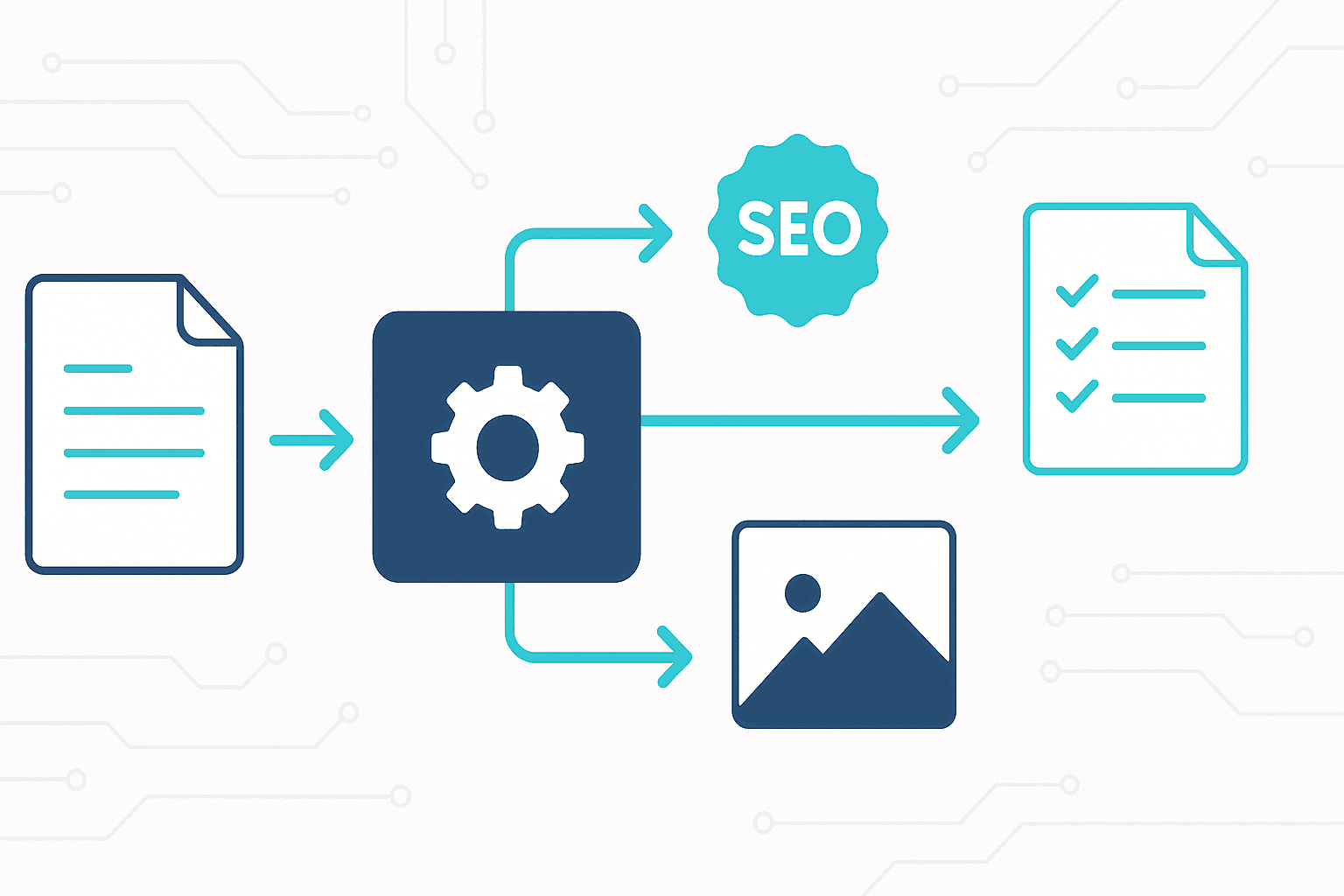
Instead of manually walking Claude through the same publishing workflow every time I finish an article for Explore AI Together, I realized I could teach it once. From that moment on, Claude could handle the repetitive, behind-the-scenes parts of publishing: writing SEO metadata, testing feature-image prompts, cleaning up URL slugs, and running my final publication checklist.
In this article I describe my process and then provide some valuable resources for those of you wondering how to make your own first skill. My advice for what to target would be to look at anything you routinely do with AI, where you don’t want to have to instruct it each time.
Building My First Skill
I decided to build two skills. The first would standardize the polish phase for blog posts on Explore AI Together. The second would guide my recurring monthly update to our most-read article, the LLM Usage Limits Comparison.
Here’s how I made the publishing workflow skill.
Start with real work, not theory
I grabbed the last seven articles I’d produced with AI help and asked Claude to summarize the workflow we naturally followed — from messy notes to draft to images to SEO polish.
Your past chats already contain your “process DNA.” Summarizing them turns implicit habits into explicit steps.
Use that summary as the foundation
I opened a fresh chat and said: “I want to create a Claude Skill based on this workflow. Here are the last seven summaries. Please draft a repeatable skill that guides me through my post-draft publishing steps.”
Claude produced a decent first cut — not perfect — and needed some guidance on the exact skill format. One small hiccup: Claude initially misunderstood that I wanted a custom skill file, not just instructions. I nudged it toward the proper structure and we got there. Totally manageable.
Add the polish steps you always forget
I baked in the “little things” that cost me time each post: SEO elements (focus keyword, URL slug, meta title, meta description), image generation prompts with A/B testing, alt text and captions, content layout recommendations, and final checks for links, headings, and accessibility.
Save, upload, and test with a real draft
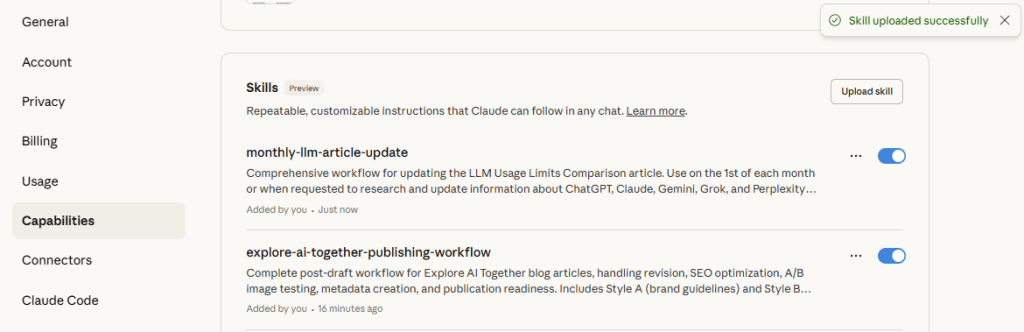
I uploaded the skill and ran it on a recent draft. It walked me through the exact steps I usually do by hand — calmly, consistently, and without me hunting for old prompts.
What the Skill Captures
Once I’d worked through several articles with Claude, the AI was able to identify the patterns I couldn’t see myself. Here’s what it learned from analyzing my workflow:
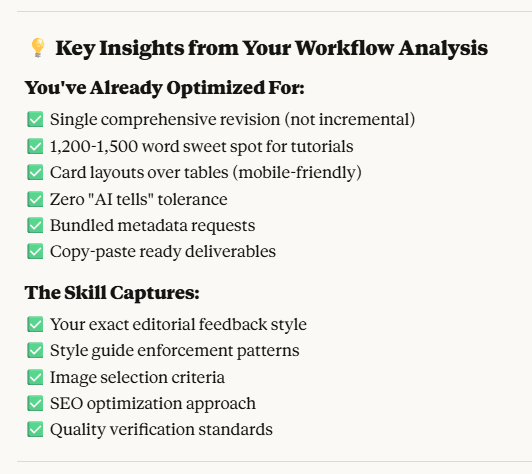
The skill now handles everything from SEO optimization to image generation to final publication checks. It generates two different image styles for A/B testing: Style A follows my brand guidelines, while Style B is a more experimental aesthetic I’m still refining. The skill produces prompts for both, plus alt text, captions, and filename conventions.
The Second Skill: Monthly Updates
My most popular post is a living document that needs regular maintenance. Each month I check for new usage limits across ChatGPT, Claude, Gemini, Grok, and Perplexity, then update tables, add changelogs with dates, and refresh the feature image if there were notable shifts.
The Monthly Update Skill prompts me for which platforms to check, links to confirm any changes, exactly what changed (limits, tiers, enforcement, wording), and a one-paragraph “What’s new this month” summary. It also reminds me to version the graphic filename (llm-limits-2025-11.png) and update the alt text accordingly.
Lessons Learned
Think “SOP for a junior coworker.” Be literal. Define success criteria, guardrails, and “done” checklists.
Start with your actual history. Your chats contain patterns you can’t see until they’re summarized. Don’t try to imagine the perfect workflow from scratch.
Expect format friction. Claude might need a nudge to output the exact skill structure you want. That’s normal — guide it there.
Be ruthless with context. Too much context muddies the output. Skills work because they pull only what’s needed.
Name things well. Skill names, section names, and file names matter later. Treat this like you’re shipping a product.
How to Turn Your Workflow Into a Skill
If you want to create your own skill, here’s the template I used:
- Gather 3–7 past chats around a single recurring task.
- Ask Claude: “Summarize the workflow we followed step-by-step. Identify the common stages and decision points.”
- Open a new chat: “I want a Claude Skill that guides me through this workflow every time. Use the summary as requirements.”
- Add the boring details you always forget (filenames, length limits, accessibility checks, SEO caps, internal link verification).
- Upload, run on a real job, and refine.
Here’s the reusable starter prompt I developed (edit to fit your needs):
I’m developing a Claude Skill to standardize my post-draft publishing workflow for my blog, Explore AI Together.
Goals:
- SEO optimization (focus keywords, URL slugs, meta titles/descriptions)
- Image prompts (A/B styles), plus alt text, captions, filenames
- Content placement recommendations (hero, pull-quotes, list blocks, CTA)
- Final publication checklist
Input:
- A draft article or outline
- Optional brand references
Output:
- Step-by-step guided workflow with concrete outputs at each step
- Plain-text deliverables ready to copy into my CMS
Constraints:
- Meta title ≤ 60 chars; meta description ≤ 155 chars
- URL slug: lowercase, hyphenated, short, no stop words if possible
- Alt text: specific, non-decorative; avoid “image of…”
Example Outputs the Skill Generates
To give you a sense of what comes out the other end, here are a few examples from a real draft:
URL slug: claude-skills-blog-workflow-automation
Meta title (60 chars): How I Built a Claude Skill to Automate My Blog Workflow
Meta description (155 chars): I turned my messy publishing routine into a reusable Claude Skill—SEO, image prompts, slugs, and a final checklist—all automated and in my voice.
Feature image prompts:
Style A (Brand): “Flat vector illustration of a tidy publishing assembly line converting a messy draft into polished outputs: SEO tag, image card, URL slug label, and a green ‘published’ check. Minimal, modern tech aesthetic, crisp shapes, generous white space. 16:9.”
Style B (Exploration): “Playful, slightly textured illustration of a friendly robot pinning checkmarks onto a corkboard labeled ‘SEO’, ‘Images’, ‘Slug’, ‘Checklist’. Soft shadows, subtle grain, cozy studio vibe, 16:9.”
The skill also suggests internal links to related posts and provides alt text for the feature image that’s specific and descriptive without being decorative.
Prompts I Used
Summarize my past workflows (run this on each prior article chat):
Please summarize the workflow we followed to create this article:
- Stages in order
- Key decisions or branches
- Where I gave brand guidance
- What you needed from me vs. what you produced
- Rough time estimates per stage
- Common pitfalls I ran into
Turn those summaries into a Skill draft:
I want a Claude Skill that guides me through my post-draft publishing workflow for Explore AI Together. Use these workflow summaries as requirements. Produce a skill with: (1) step-by-step guidance, (2) specific outputs at each step, (3) character/format limits for SEO, (4) A/B image prompts (Style A & Style B), (5) a final publication checklist. Output in the correct skill structure with any reference files you think are helpful.Skills Worth Building (Based on Real Usage Data)
After building my own publishing skills, I wanted to understand what other high-impact skills were worth creating. Recent research from OpenAI and Harvard analyzing ChatGPT usage patterns reveals exactly where AI assistance delivers the most value. The data points to four skill categories that mirror how people actually use these tools in their daily work and life.
Practical Guidance Planner
Based on: Practical Guidance is the single largest category (≈ 29 % of total messages) and includes tutoring, how-to advice, and creative ideation.
Skill concept: A contextual tutor that converts any goal (fitness, learning, budgeting, cooking) into a step-by-step plan with progress check-ins.
Core workflow:
- Parse user’s goal and timeframe.
- Generate a customized roadmap.
- Add weekly reflections + adaptive adjustments.
- Output a shareable plan (Markdown or Google Sheet).
Why it fits the data: Captures the dominant “Practical Guidance” pattern and the 49 % Asking intent found in the report (users seeking advice / decision support).
Writing Assistant Pro
Here’s the key insight: two-thirds of writing tasks involve editing or critiquing existing text rather than creating something from scratch. This suggests a skill focused on guided revision—one that improves drafts through style, tone, and structure checks rather than generating new copy. It would detect the document type, apply appropriate revision rules, show before-and-after comparisons, and include readability scores and SEO metadata.
Based on: Writing accounts for 24 % of all messages overall and ≈ 40 % of work-related use; two-thirds are editing or critiquing text rather than creating from scratch.
Skill concept: A guided editor that improves drafts with style, tone, and structure checks instead of producing new copy.
Core workflow:
- Detect intent (email / report / blog).
- Apply revision rules (clarity, concision, tone match).
- Summarize changes and show before/after.
- Output with SEO metadata and readability scores.
Why it fits the data: Addresses the single most common work task people already use ChatGPT for—document refinement.
Decision Coach
People increasingly turn to AI for decision support in knowledge-intensive work. A decision-focused skill would surface evidence and sources, rank options with clear trade-offs, and produce concise recommendation matrices. This addresses one of the most valuable economic use cases identified in the research.
Based on: Seeking Information grew from 14 % to 24 % of all use, and “Asking” messages surpassed Doing (≈ 52 % vs 35 % by mid-2025).
Skill concept: An evidence-first assistant that surfaces concise answers + sources, ranks options, and ends with a recommendation matrix.
Core workflow:
- Interpret the decision question.
- Gather key criteria & trade-offs.
- Summarize 3–5 options with pros/cons.
- Produce a short “executive summary.”
Why it fits the data: Targets the most valuable economic use case highlighted in the paper—decision support in knowledge-intensive work.
Learning Companion
Education and tutoring represent about 10% of overall usage and 36% of practical guidance conversations. An adaptive learning skill would function as a study partner that explains concepts, generates practice questions, and tracks mastery across different learning levels. It would create micro-lessons, log progress, schedule spaced reviews, and export study materials in formats like flashcards or structured notes.
Based on: Education / tutoring represents 10 % of usage overall and 36 % of Practical Guidance conversations.
Skill concept: Adaptive study partner that explains, quizzes, and tracks mastery by Bloom’s taxonomy levels.
Core workflow:
- User selects topic + level.
- Skill creates micro-lessons and practice questions.
- Logs progress and spaced-review schedule.
- Exports study notes as flashcards or CSV.
Why it fits the data: Aligns with the fast-growing tutoring segment (education was called a “key use case” in the study).
Appendix: Prompts I Used
Summarize my past workflows (run this on each prior article chat):
Please summarize the workflow we followed to create this article:
- Stages in order
- Key decisions or branches
- Where I gave brand guidance
- What you needed from me vs. what you produced
- Rough time estimates per stage
- Common pitfalls I ran into
If you found this article helpful, please feel free to share it with others or let me know your thoughts at ben@exploreaitogether.com.